• Simple Sentences in Sanskrit. About school (विद्यालय). Learn Sanskrit easily

    Learn simple sentences in Sanskrit.
    In this post

    • Few simple sentences in Sanskrit
    • Grammar analysis of a couple of them
    • शब्दरूप table of विद्यालय

    Simple sentences:
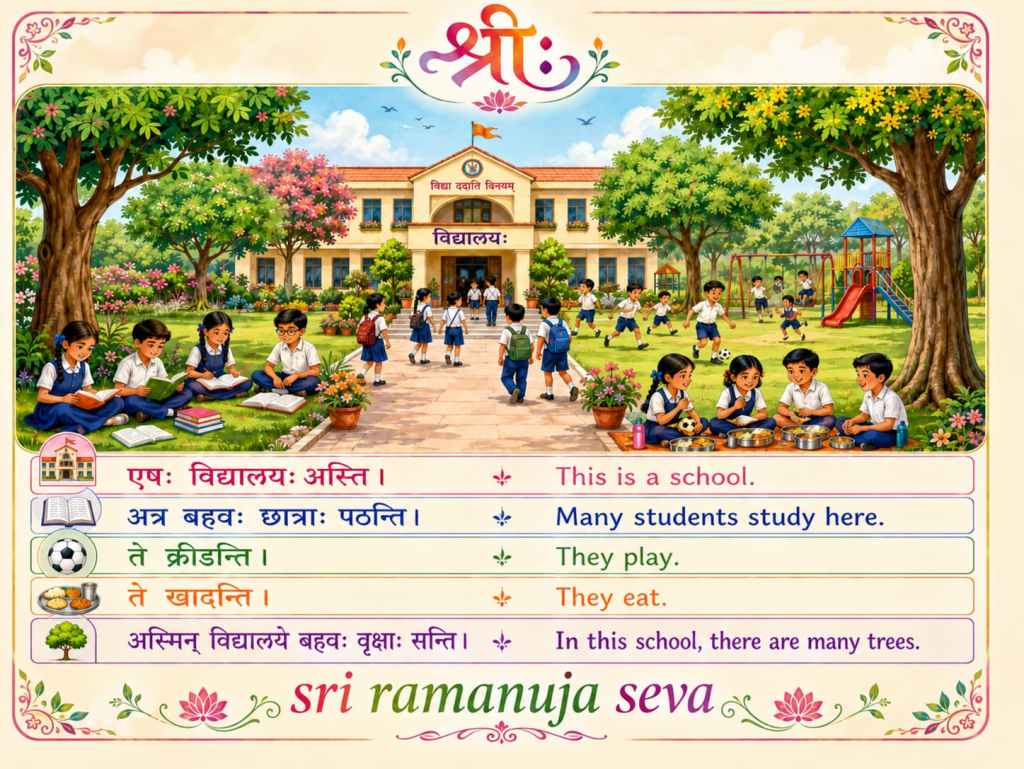
    एषः विद्यालयः अस्ति।
    This is a school.

    अत्र बहवः छात्राः पठन्ति।
    Many students study here.

    ते क्रीडन्ति।
    They play.

    ते खादन्ति।
    They eat.

    अस्मिन् विद्यालये बहवः वृक्षाः सन्ति।
    In this school, there are many trees.


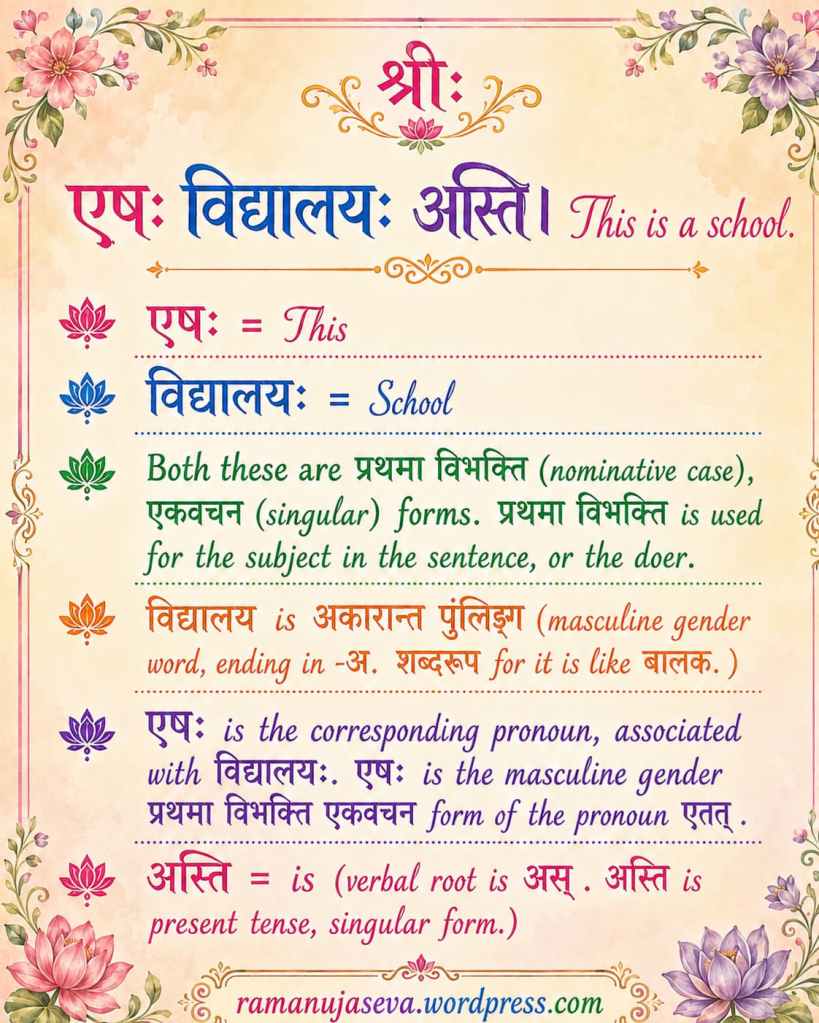
    एषः विद्यालयः अस्ति। This is a school.

    • एषः = This 
    • विद्यालयः = School 
    • Both these are प्रथमा विभक्ति (nominative case), एकवचन (singular) forms. प्रथमा विभक्ति is used for the subject in the sentence, or the doer. 
    • विद्यालय is अकारान्त पुंलिङ्ग (masculine gender word, ending in -अ. शब्दरूप for it is like बालक. ) 
    • एषः is the corresponding pronoun, associated with विद्यालयः. एषः is the masculine gender प्रथमा विभक्ति एकवचन form of the pronoun एतत् . 
    • अस्ति = is (verbal root is अस् . अस्ति is present tense, singular form.) 

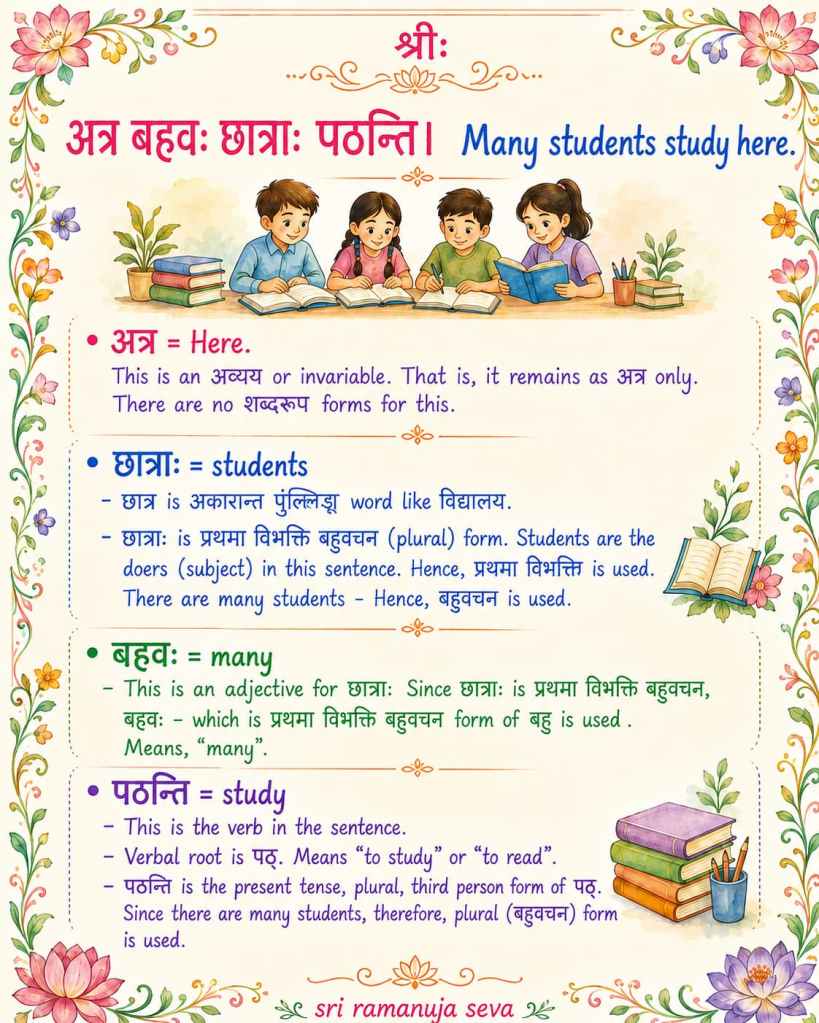
    अत्र बहवः छात्राः पठन्ति। Many students study here. 

    • अत्र = Here.
      This is an अव्यय or invariable. That is, it remains as अत्र  only. There are no शब्दरूप forms for this. 
    • छात्राः  = students
      • छात्र is अकारान्त पुंलिङ्ग  word like विद्यालय. 
      • छात्राः  is  प्रथमा विभक्ति बहुवचन (plural) form. Students are the doers (subject) in this sentence. Hence, प्रथमा विभक्ति  is used. There are many students – Hence, बहुवचन is used.
    • बहवः = many
      • This is an adjective for छात्राः . Since छात्राः is  प्रथमा विभक्ति बहुवचन, बहवः – which is प्रथमा विभक्ति बहुवचन form of बहु is used. Means, “many”.
    • पठन्ति = study
      • This is the verb in the sentence. 
      • Verbal root is पठ् . Means “to study” or “to read”. 
      • पठन्ति is the present tense, plural, third person form of पठ्. Since there are many students, therefore, plural (बहुवचन) form is used.

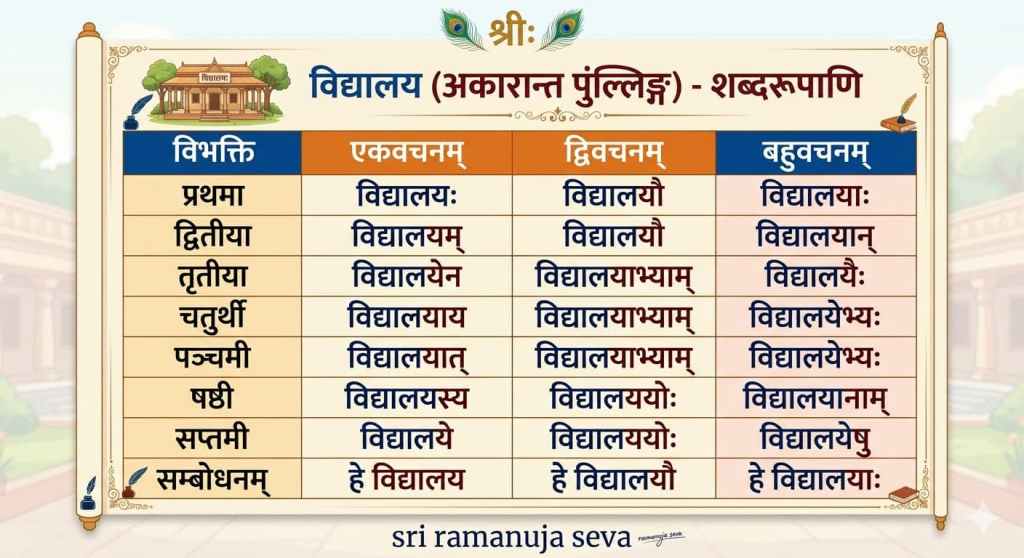
    विद्यालय-शब्दरूप

    अकारान्त पुंल्लिङ्ग (masculine gender word, ending in –)
    विद्यालय = school

    विभक्तिएकवचनम्द्विवचनम्बहुवचनम्
    प्रथमाविद्यालयःविद्यालयौविद्यालयाः
    द्वितीयाविद्यालयम्विद्यालयौविद्यालयान्
    तृतीयाविद्यालयेनविद्यालयाभ्याम्विद्यालयैः
    चतुर्थीविद्यालयायविद्यालयाभ्याम्विद्यालयेभ्यः
    पञ्चमीविद्यालयात्विद्यालयाभ्याम्विद्यालयेभ्यः
    षष्ठीविद्यालयस्यविद्यालययोःविद्यालयानाम्
    सप्तमीविद्यालयेविद्यालययोःविद्यालयेषु
    सम्बोधनहे विद्यालय !हे विद्यालयौ !हे विद्यालयाः !

    विद्यालय follows the same शब्दरूप pattern as बालक , राम


    Few other similar posts on simple Sanskrit sentences are here: Simple Sanskrit sentences, Simple conversation, Exchanging greetings,
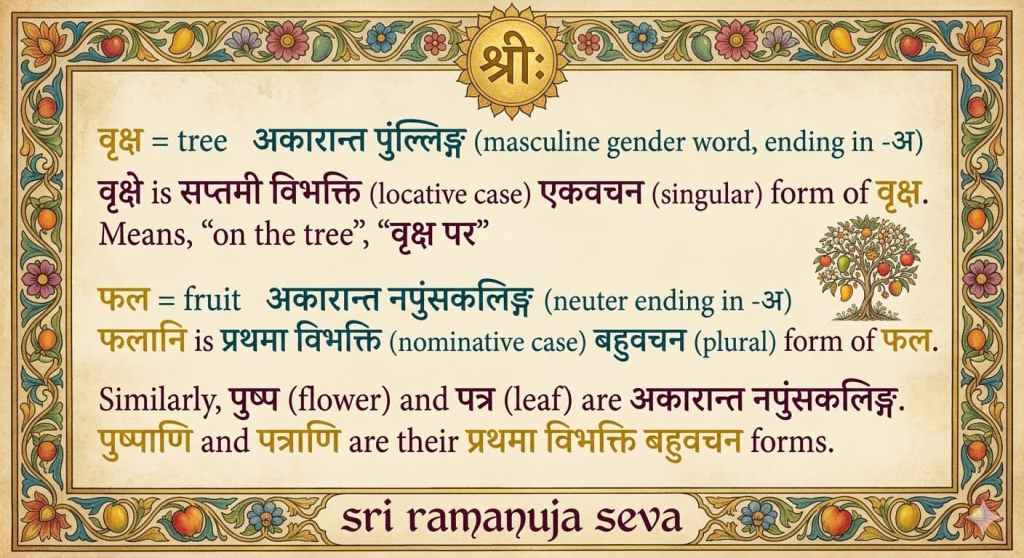
  • Few Simple Sentences in Sanskrit

    Learn Simple Sanskrit.


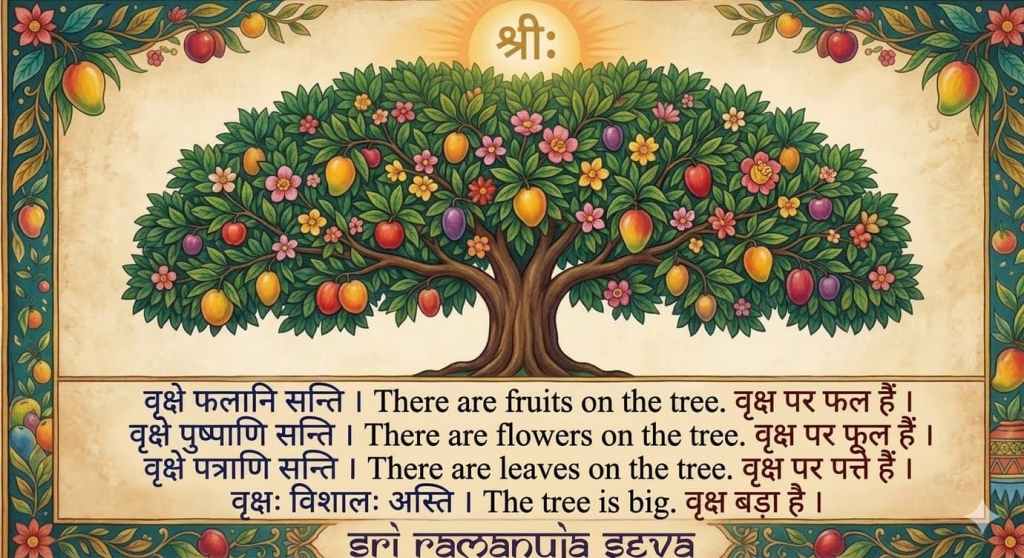
    श्रीः

    वृक्षे फलानि सन्ति ।
    There are fruits on the tree.
    वृक्ष पर फल हैं ।

    वृक्षे पुष्पाणि सन्ति ।
    There are flowers on the tree.
    वृक्ष पर फूल हैं ।

    वृक्षे पत्राणि सन्ति ।
    There are leaves on the tree.
    वृक्ष पर पत्ते हैं ।

    वृक्षः विशालः अस्ति ।
    The tree is big.
    वृक्ष बड़ा है ।


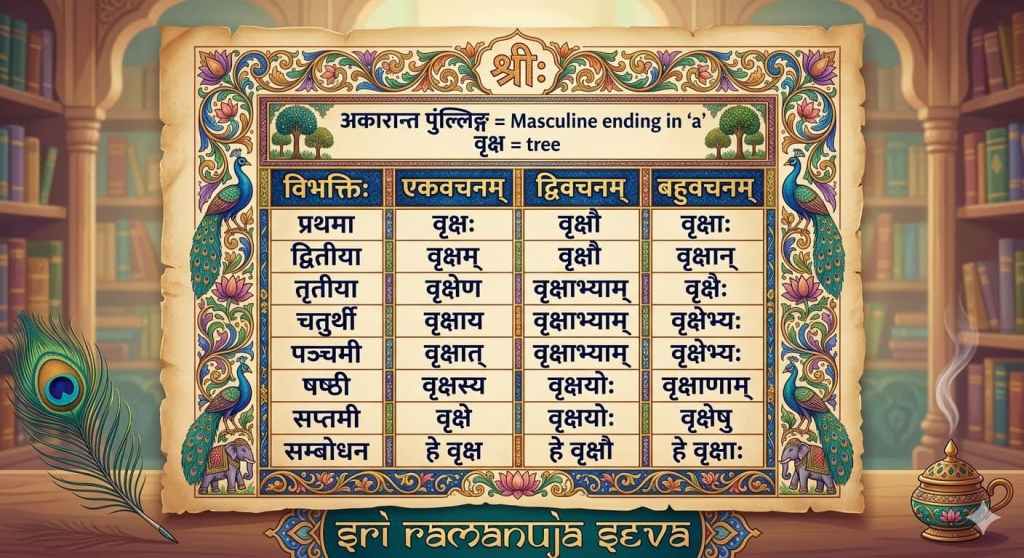
    वृक्ष = tree
    अकारान्त पुंल्लिङ्ग (masculine gender word, ending in -अ)

    वृक्षे is सप्तमी विभक्ति (locative case) एकवचन (singular) form of वृक्ष.
    Means, “on the tree”, “वृक्ष पर”

    फल = fruit
    अकारान्त नपुंसकलिङ्ग (neuter ending in -अ)

    फलानि is प्रथमा विभक्ति (nominative case) बहुवचन (plural) form of फल.

    Similarly, पुष्प (flower) and पत्र (leaf) are अकारान्त नपुंसकलिङ्ग.
    पुष्पाणि and पत्राणि are their प्रथमा विभक्ति बहुवचन forms.


    विभक्तिःएकवचनम्द्विवचनम्बहुवचनम्
    प्रथमावृक्षःवृक्षौवृक्षाः
    द्वितीयावृक्षम्वृक्षौवृक्षान्
    तृतीयावृक्षेणवृक्षाभ्याम्वृक्षैः
    चतुर्थीवृक्षायवृक्षाभ्याम्वृक्षेभ्यः
    पञ्चमीवृक्षात्वृक्षाभ्याम्वृक्षेभ्यः
    षष्ठीवृक्षस्यवृक्षयोःवृक्षाणाम्
    सप्तमीवृक्षेवृक्षयोःवृक्षेषु
    सम्बोधनहे वृक्षहे वृक्षौहे वृक्षाः
  • फल शब्दरूप (अकारान्त नपुंसकलिङ्ग) . [phal ka shabd roop]

    शब्दरूप table for फल (fruit)
    [अक्कारान्त नपुंसकलिङ्ग word. That is, neuter gender word ending in -अ]


    विभक्तिएकवचनम्द्विवचनम्बहुवचनम्
    प्रथमाफलम्फलेफलानि
    द्वितीयाफलम्फलेफलानि
    तृतीयाफलेनफलाभ्याम्फलैः
    चतुर्थीफलायफलाभ्याम्फलेभ्यः
    पञ्चमीफलात्फलाभ्याम्फलेभ्यः
    षष्ठीफलस्यफलयोःफलानाम्
    सप्तमीफलेफलयोःफलेषु
    सम्बोधनहे फल !हे फले !हे फलानि !

    Other words (अकारान्त नपुंसकलिङ्ग) with similar शब्दरूप forms – पुस्तकम् (book), पत्रम् (leaf), पुष्पम् (flower), गृहम् (house), वनम् (forest), मित्रम् (friend).
    Note that the प्रथमा विभक्ति and द्वितीया विभक्ति forms are identical.
    Also note that from तृतीया to सप्तमी , the forms are identical to अकारान्त पुंलिङ्ग words (like राम, बालक ) .

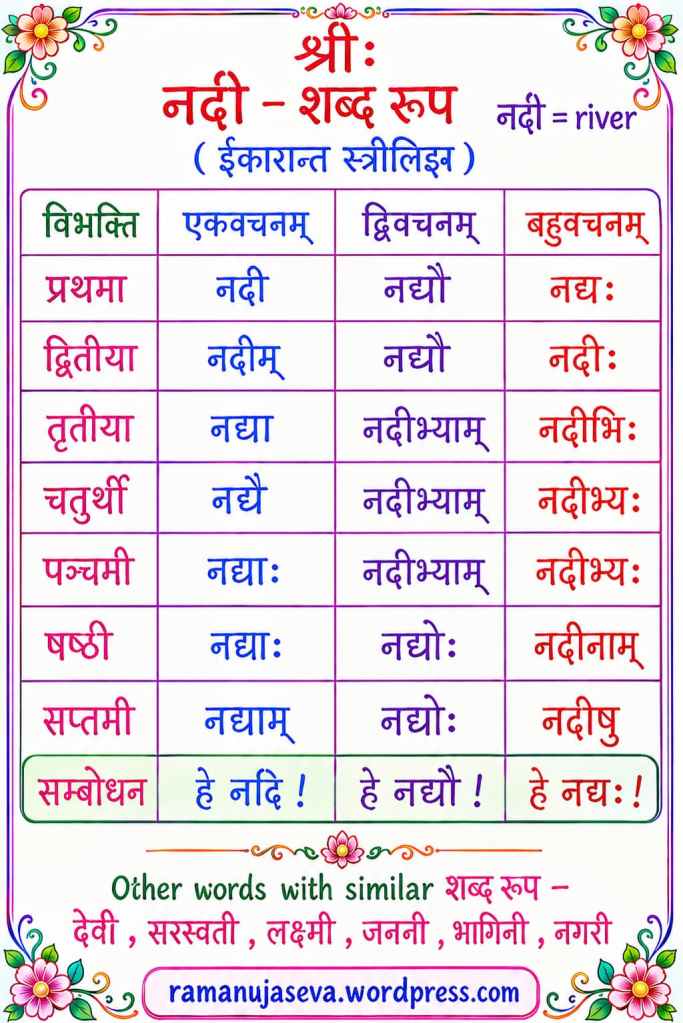
  • विभक्ति (case)एकवचनम् (singular)द्विवचनम् (dual)बहुवचनम् (plural)
    प्रथमानदीनद्यौनद्यः
    द्वितीयानदीम्नद्यौनदीः
    तृतीयानद्यानदीभ्याम्नदीभिः
    चतुर्थीनद्यैनदीभ्याम्नदीभ्यः
    पञ्चमीनद्याःनदीभ्याम्नदीभ्यः
    षष्ठीनद्याःनद्योःनदीनाम्
    सप्तमीनद्याम्नद्योःनदीषु
    सम्बोधनहे नदिहे नद्यौहे नद्यः

    Other words with similar शब्दरूप (ईकारान्त स्त्रीलिङ्ग) — देवी, सरस्वती, लक्ष्मी, जननी, भगिनी, नगरी
    (feminine gender words ending in -ई)


    For some other shabd roop tables, see here: सीता , राम , मुनि

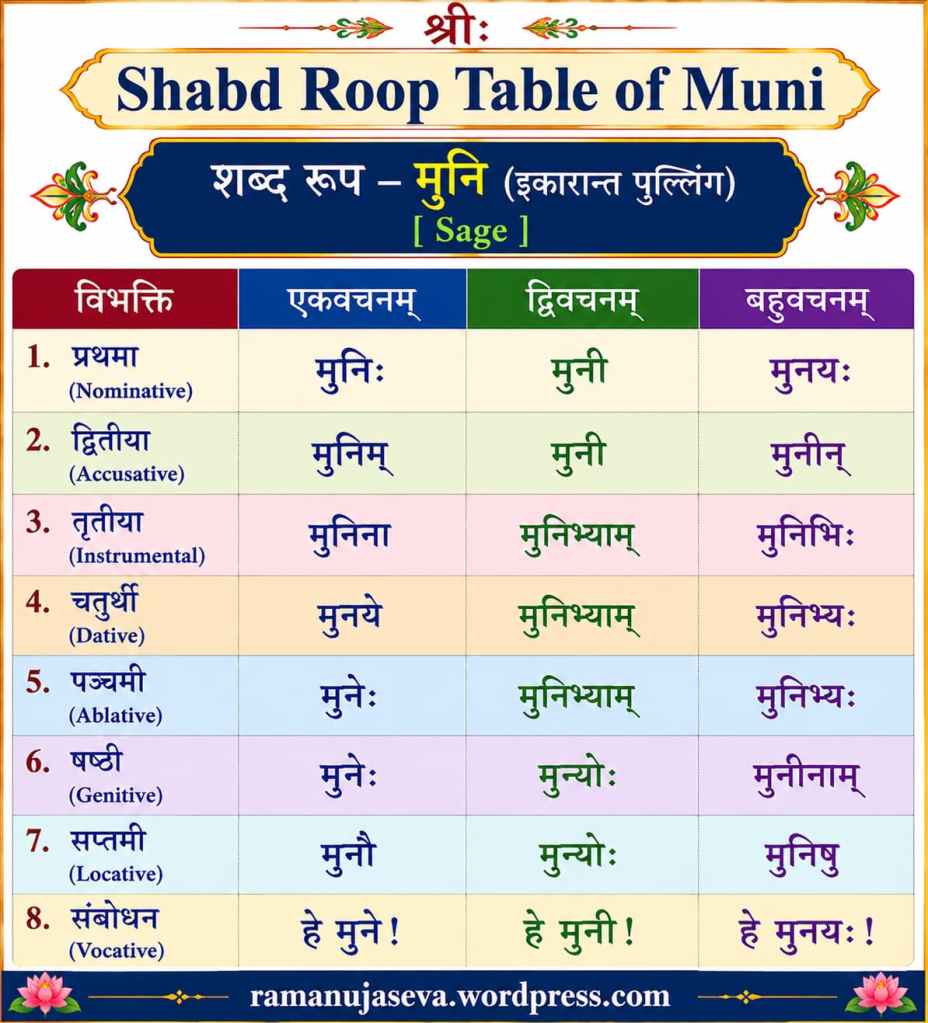
  • (इकारान्त पुंल्लिङ्ग ) (masculine gender word ending in इ )
    मुनि = sage


    विभक्तिएकवचनम्द्विवचनम्बहुवचनम्
    प्रथमा (Nominative)मुनिःमुनीमुनयः
    द्वितीया (Accusative)मुनिम्मुनीमुनीन्
    तृतीया (Instrumental)मुनिनामुनिभ्याम्मुनिभिः
    चतुर्थी (Dative)मुनयेमुनिभ्याम्मुनिभ्यः
    पञ्चमी (Ablative)मुनेःमुनिभ्याम्मुनिभ्यः
    षष्ठी (Genitive)मुनेःमुन्योःमुनीनाम्
    सप्तमी (Locative)मुनौमुन्योःमुनिषु
    सम्बोधन (Vocative)हे मुने!हे मुनी!हे मुनयः!

    Other इकारान्त पुंल्लिङ्ग words with similar forms: हरि, ऋषि, कवि, रवि

    Some other shabd roop tables: सीता , राम , बालिका , बालक , हरि


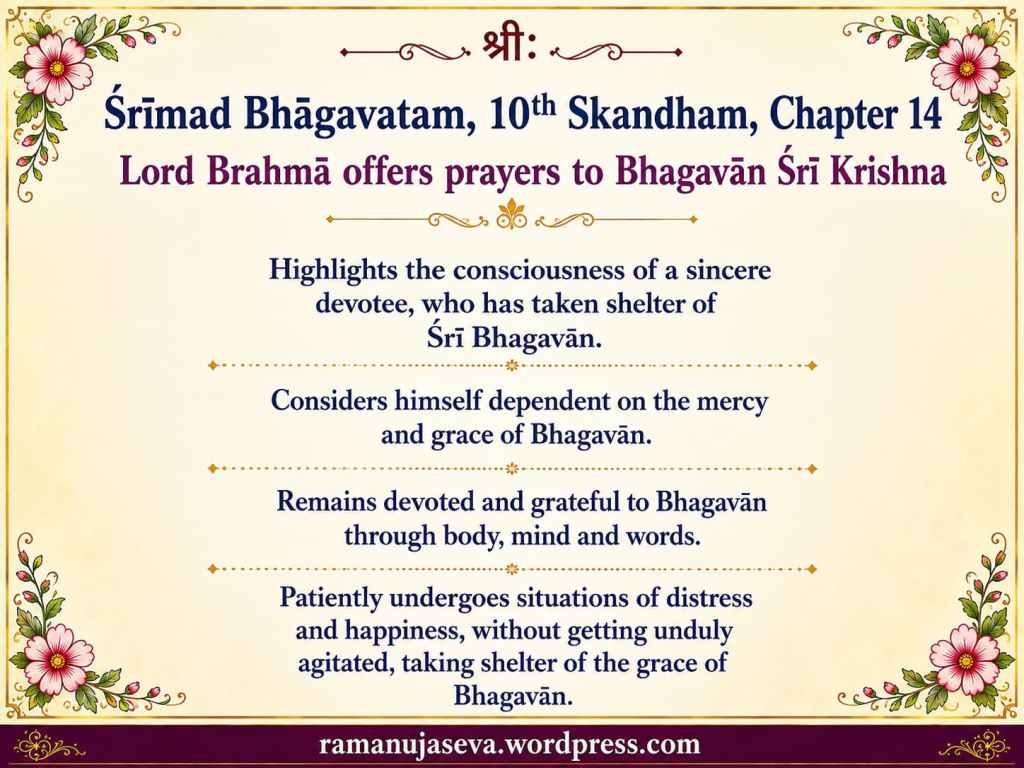
  • Śrīmad Bhāgavatam, 10th Skandham, Chapter 14.

    Lord Brahmā offers prayers to Bhagavān Śrī Krishna

    • Highlights the consciousness of a sincere devotee, who has taken shelter of Śrī Bhagavān.
    • Considers himself dependent on the mercy and grace of Bhagavān.
    • Remains devoted and grateful to Bhagavān through body, mind and words.
    • Patiently undergoes situations of distress and happiness, without getting unduly agitated, taking shelter of the grace of Bhagavān.

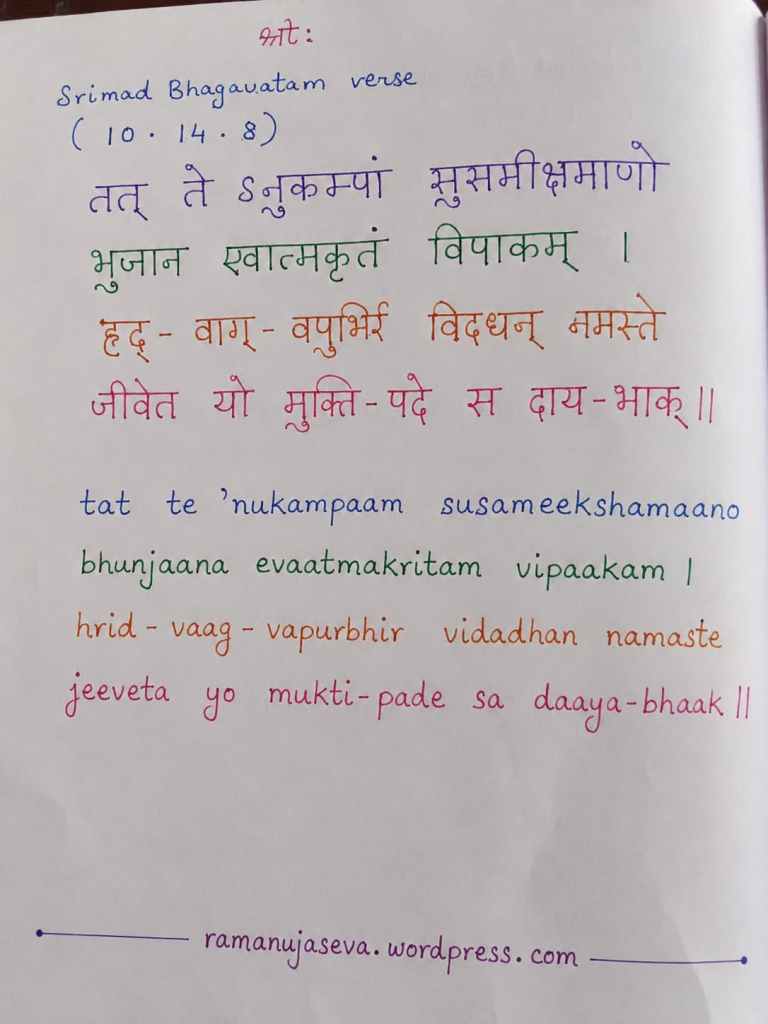
    Srimad Bhagavatam verse
    (10 . 14 . 8)

    तत् तेऽनुकम्पां सुसमीक्षमाणो
    भुञ्जान एवात्मकृतं विपाकम् ।
    हृद्-वाग्-वपुर्भिर् विदधन् नमस्ते
    जीवेत यो मुक्ति-पदे स दाय-भाक् ॥

    tat te ’nukampaam susameekshamaano
    bhunjaana evaatmakritam vipaakam ।
    hrid – vaag – vapurbhir vidadhan namaste
    jeeveta yo mukti-pade sa daaya-bhaak ॥


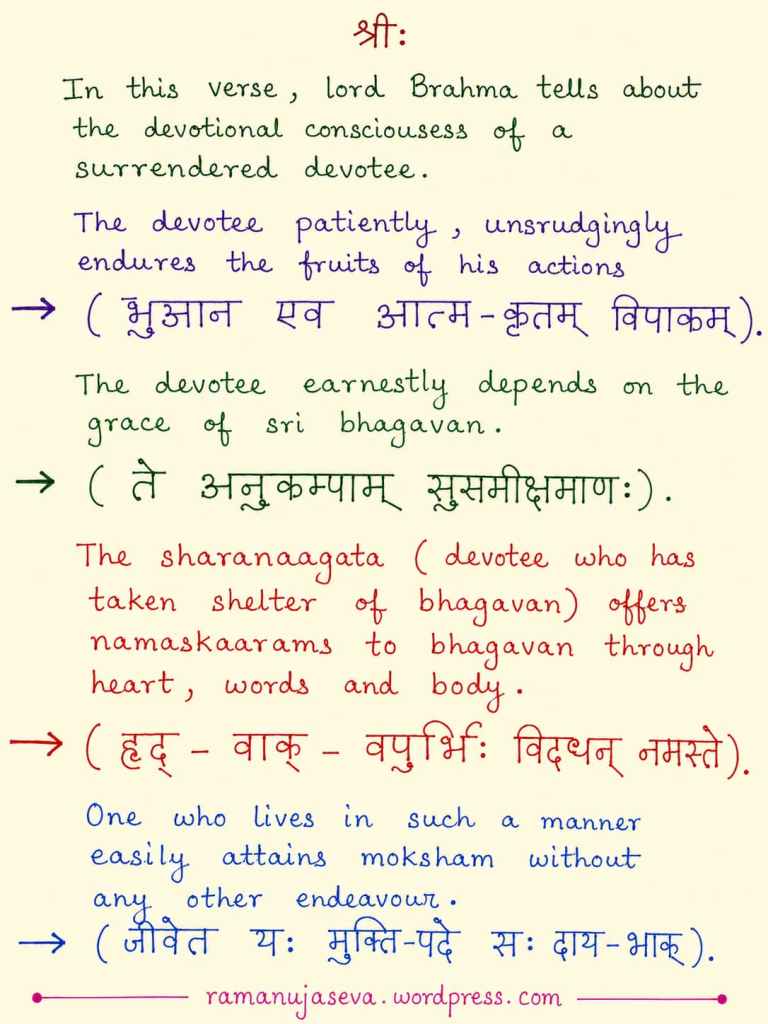
    In this verse, lord Brahma tells about the devotional consciousness of a surrendered devotee.

    The devotee patiently, unsrudgingly endures the fruits of his actions
    (भुञ्जान एव आत्म-कृतम् विपाकम्).

    The devotee earnestly depends on the grace of sri bhagavan.
    (ते अनुकम्पाम् सुसमीक्षमाणः).

    The sharanagata (devotee who has taken shelter of bhagavan) offers namaskaaraams to bhagavan through heart, words and body.
    (हृद् – वाक् – वपुर्भिः विदधन् नमस्ते).

    One who lives in such a manner easily attains moksham without any other endeavour.
    (जीवेत यः मुक्ति-पदे सः दाय-भाक्).

  • Scientific Calculator in C (C Prog Q&A – Part 6(c), CS 3251, Anna Univ Previous Years Exams)

    (For the previous post in this series (Part 6b), pls see here: Discussion on how to design scientific calculator in C.)

    Answer:

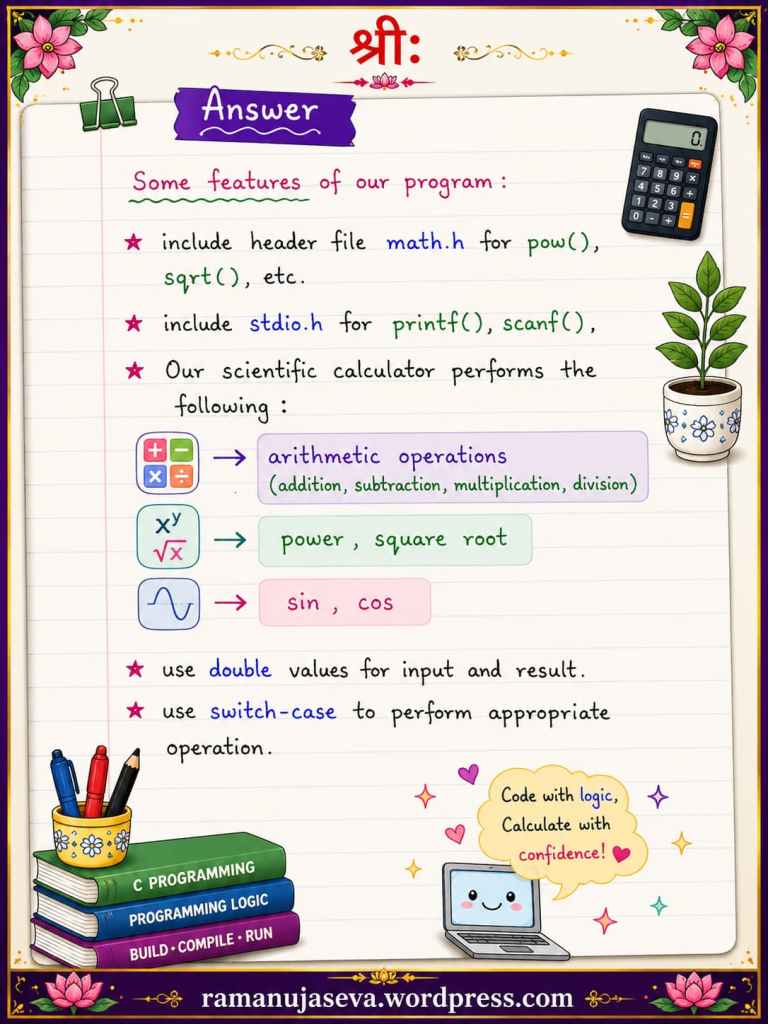
    Some features of our program:

    • include header file math.h for pow(), sqrt() ,etc
    • include stdio.h for printf(), scanf().
    • our scientific calculator performs the following:
      • arithmetic operations
      • square root, power
      • sin, cos
    • we use double values for input and result
    • use switch-case for processing user input and performing appropriate operation.
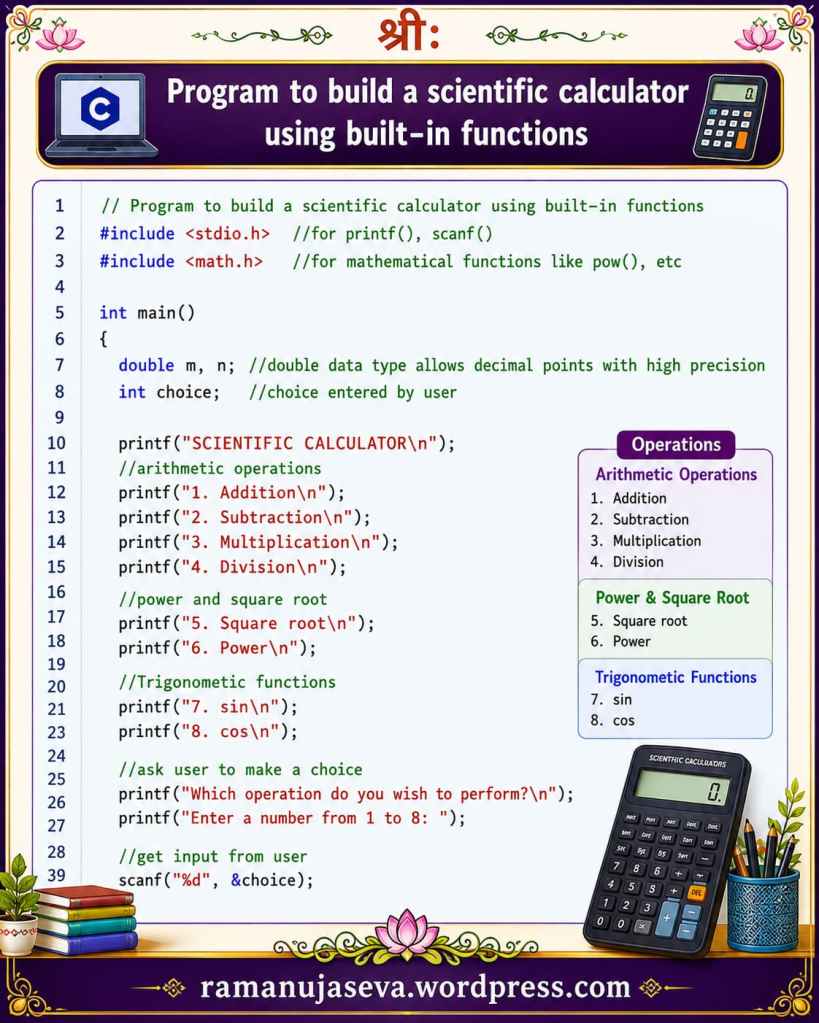
    // Program to build a scientific calculator using built-in functions
    #include <stdio.h> //for printf(, scanf())
    #include <math.h> //for mathematical functions like pow(), etc
    int main()
    {
    double m, n; //double data type allows decimal points with high precision
    int choice; //choice entered by user
    printf("SCIENTIFIC CALCULATOR\n");
    //arithmetic operations
    printf("1. Addition\n");
    printf("2. Subtraction\n");
    printf("3. Multiplication\n");
    printf("4. Division\n");
    //power and square root
    printf("5. Square root\n");
    printf("6. Power\n");
    //Trigonometic functions
    printf("7. sin\n");
    printf("8. cos\n");
    //ask user to make a choice
    printf("Which operation do you wish to perform?\n");
    printf("Enter a number from 1 to 8: ");
    //get input from user
    scanf("%d", &choice);
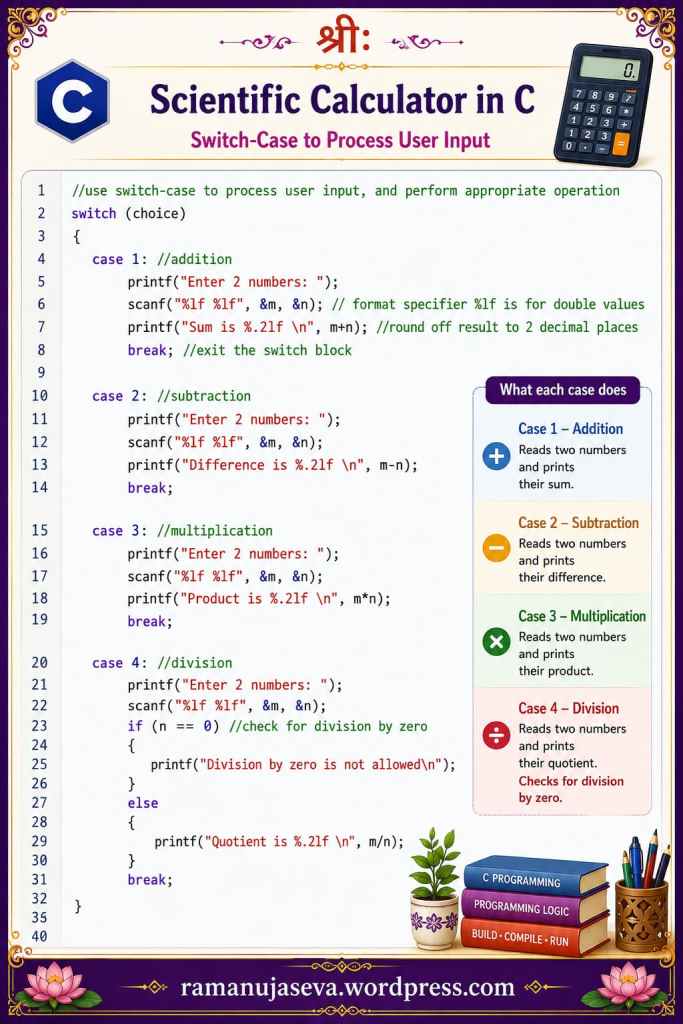
    //use switch-case to process user input, and perform appropriate operation
    switch (choice)
    {
    case 1: //addition
    printf("Enter 2 numbers: ");
    scanf("%lf %lf", &m, &n); // format specifier %lf is for double values
    printf("Sum is %.2lf \n", m+n); //round off result to 2 decimal places
    break; //exit the switch block
    case 2: //subtraction
    printf("Enter 2 numbers: ");
    scanf("%lf %lf", &m, &n);
    printf("Difference is %.2lf \n", m-n);
    break;
    case 3: //multiplication
    printf("Enter 2 numbers: ");
    scanf("%lf %lf", &m, &n);
    printf("Product is %.2lf \n", m*n);
    break;
    case 4: //division
    printf("Enter 2 numbers: ");
    scanf("%lf %lf", &m, &n);
    if (n == 0) //check for division by zero
    {
    printf("Division by zero is not allowed\n");
    }
    else
    {
    printf("Quotient is %.2lf \n", m/n);
    }
    break;
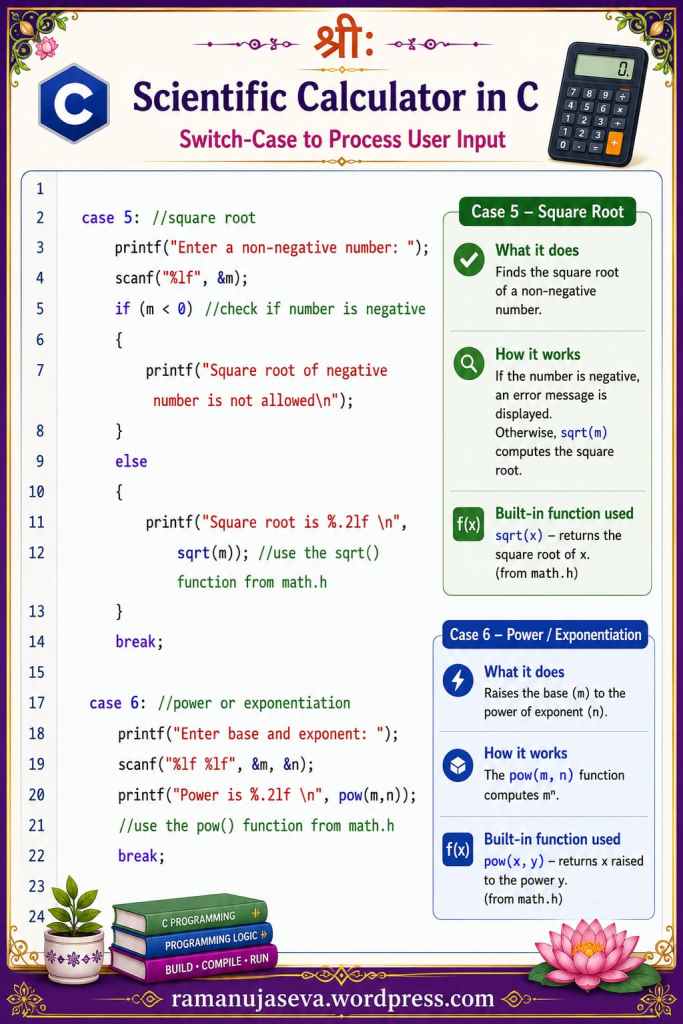
    case 5: //square root
    printf("Enter a non-negative number: ");
    scanf("%lf", &m);
    if (m < 0) //check if number is negative
    {
    printf("Square root of negative number is not allowed\n");
    }
    else
    {
    printf("Square root is %.2lf \n", sqrt(m)); //use the sqrt() function from math.h
    }
    break;
    case 6: //power or exponentiation
    printf("Enter base and exponent: ");
    scanf("%lf %lf", &m, &n);
    printf("Power is %.2lf \n", pow(m,n)); //use the pow() function from math.h
    break;
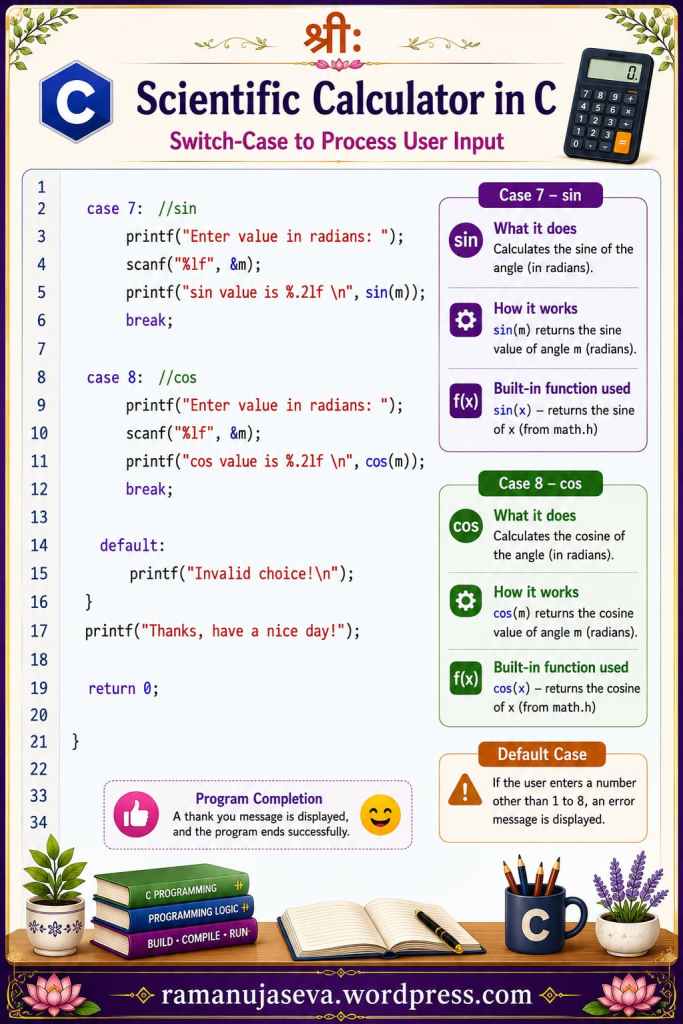
    case 7: //sin
    printf("Enter value in radians: ");
    scanf("%lf", &m);
    printf("sin value is %.2lf \n", sin(m));
    break;
    case 8: //cos
    printf("Enter value in radians: ");
    scanf("%lf", &m);
    printf("cos value is %.2lf \n", cos(m));
    break;
    default:
    printf("Invalid choice!\n");
    }
    printf("Thanks, have a nice day!");
    return 0;
    }
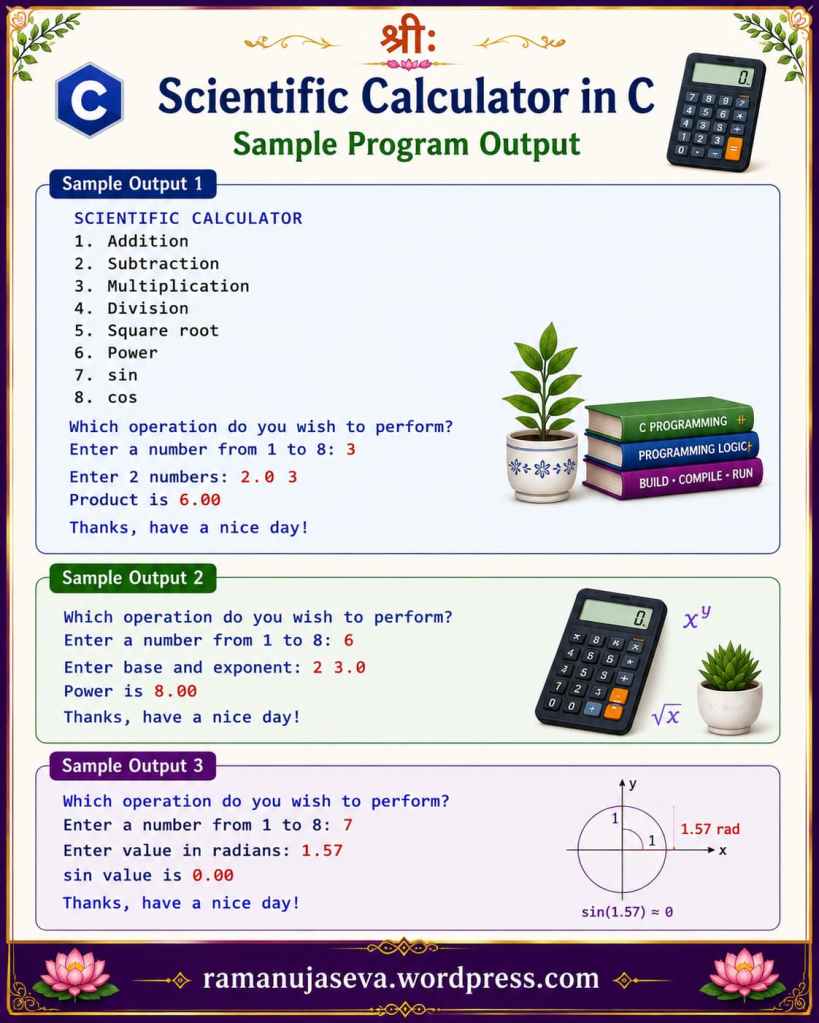
    Sample output 1:
    SCIENTIFIC CALCULATOR
    1. Addition
    2. Subtraction
    3. Multiplication
    4. Division
    5. Square root
    6. Power
    7. sin
    8. cos
    Which operation do you wish to perform?
    Enter a number from 1 to 8: 3
    Enter 2 numbers: 2.0 3
    Product is 6.00
    Thanks, have a nice day!
    Sample output 2:
    Which operation do you wish to perform?
    Enter a number from 1 to 8: 6
    Enter base and exponent: 2 3
    Product is 8.00
    Thanks, have a nice day!
    Sample output 3:
    Which operation do you wish to perform?
    Enter a number from 1 to 8: 7
    Enter value in radians: 1.57
    sin value is 1.00
    Thanks, have a nice day!
  • नाम-सङ्कीर्तनं यस्य
    सर्व-पाप-प्रणाशनम् ।
    प्रणामो दुःख-शमनस्
    तं नमामि हरिं परम् ॥


    (nāma-saṅkīrtanaṁ yasya
    sarva-pāpa-praṇāśanam |
    praṇāmo duḥkha-śamanas
    taṁ namāmi hariṁ param || )

    Above verse is the final concluding verse of Srimad Bhagavatam (12th skandham)
    Clearly teaches us glories of divine names of Bhagavan Sri Hari, and motivates us to chant bhagavan-naama and take shelter of Bhagavan.

    “Naama-sankeertanam of the names of bhagavaan sri hari destroys all sins.
    Bowing down to bhagavan removes all miseries and distress.
    To that Supreme Lord Sri Hari, i offer namaskaarams.”

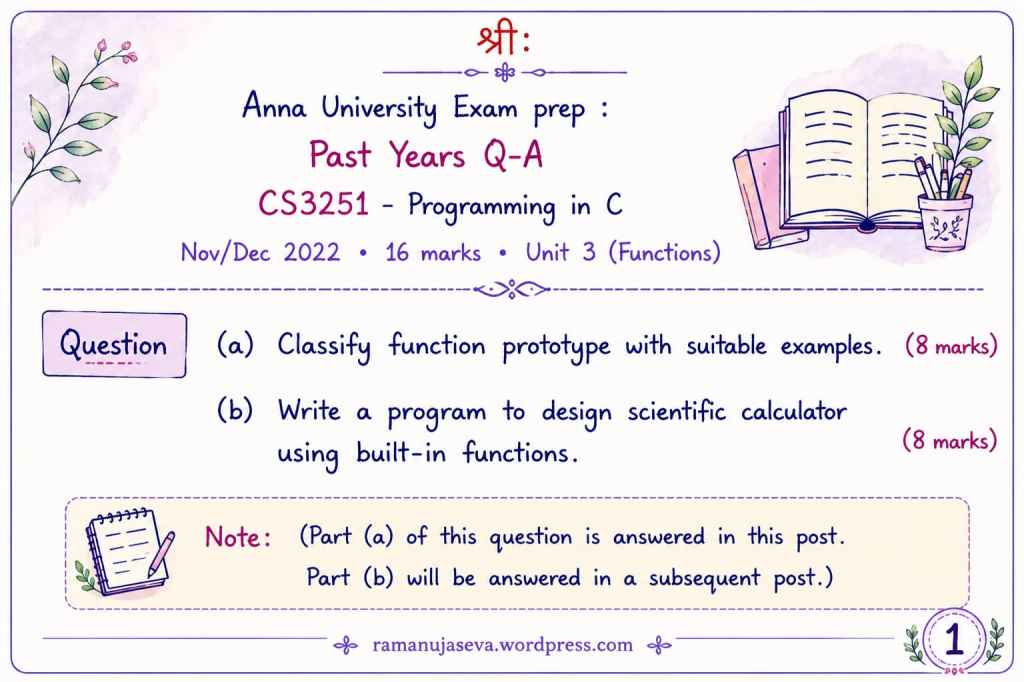
  • (For Part 6(a) of this series, pls see here: Functions (Unit 3) – 16 marks – Q & A.)


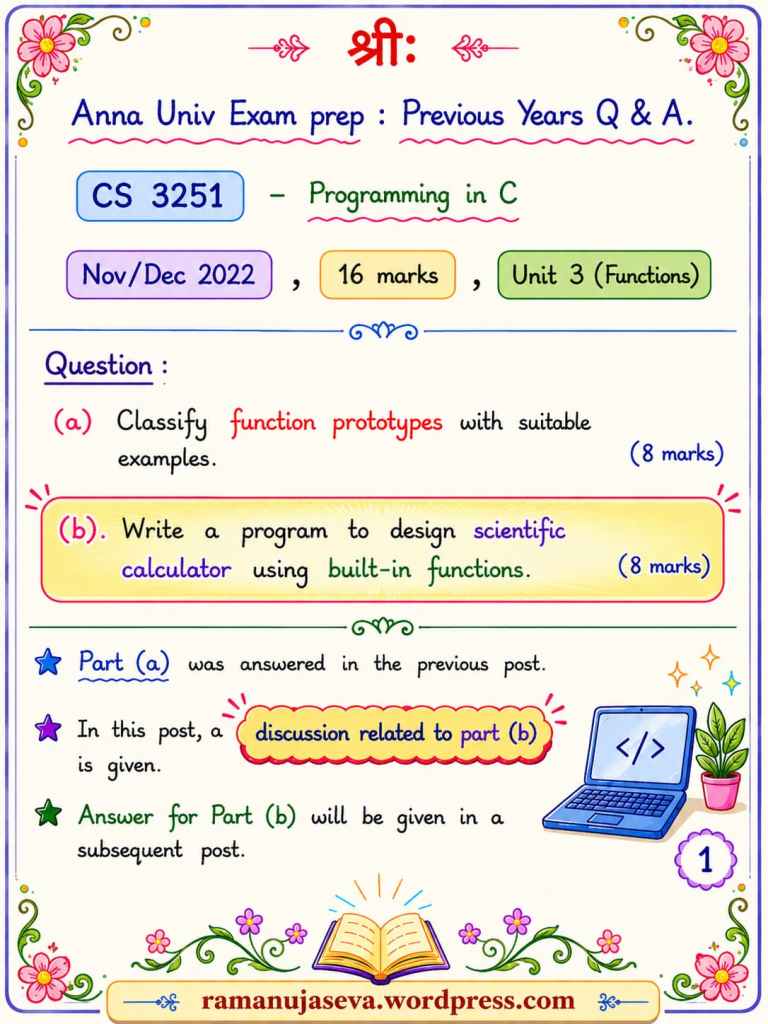
    Anna Univ Exam prep : Previous Years Q & A.
    CS 3251 – Programming in C

    Nov/Dec 2022, 16 marks, Unit 3 (Functions)

    Question:

    (a) Classify function prototypes with suitable examples. (8 marks)

    (b) Write a program to design scientific calculator using built-in functions. (8 marks)


    Part (a) was answered in the previous post.

    ★ In this post, a discussion related to part (b) is given.

    ★ Answer for Part (b) will be given in a subsequent post.


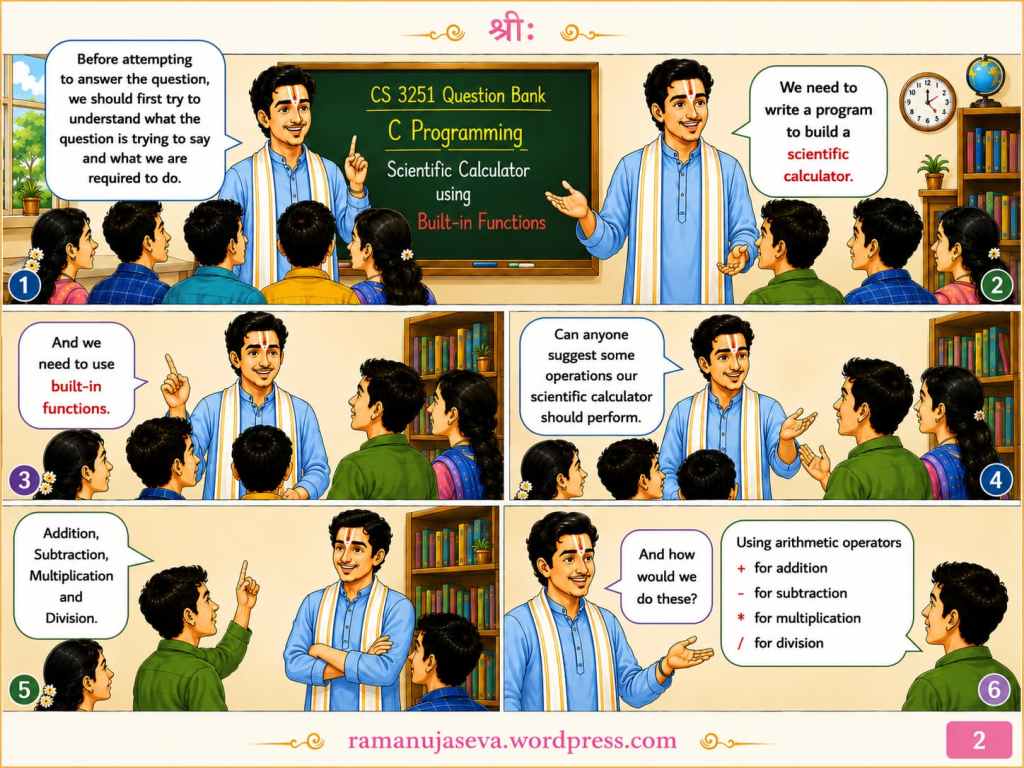
    Teacher: Before attempting to answer the question, we should first try to understand what the question is trying to say and what we are required to do.
    Students: We need to write a program to build a scientific calculator. And we need to use built-in functions.

    Teacher: Can anyone suggest some operations our scientific calculator should perform?
    Students: Addition,
    Subtraction,
    Multiplication
    and
    Division.

    Teacher: And how would we do these?
    Students: Using arithmetic operators
    + for addition
    for subtraction
    * for multiplication
    / for division


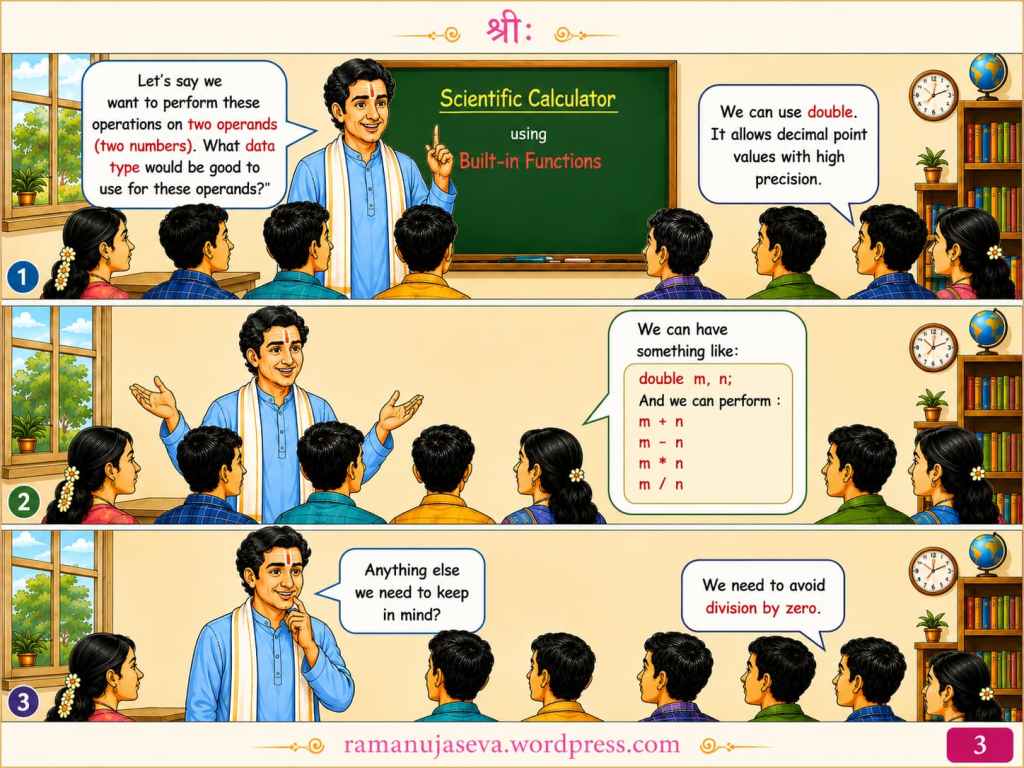
    Teacher: Let’s say we want to perform these operations on two operands (two numbers). What data type would be good to use for these operands?
    Students: We can use double. It allows decimal point values with high precision.
    We can have something like:
    double m, n;
    And we can perform:
    m + n
    m – n
    m * n
    m / n

    Teacher: Anything else we need to keep in mind?
    Students: We need to avoid division by zero.


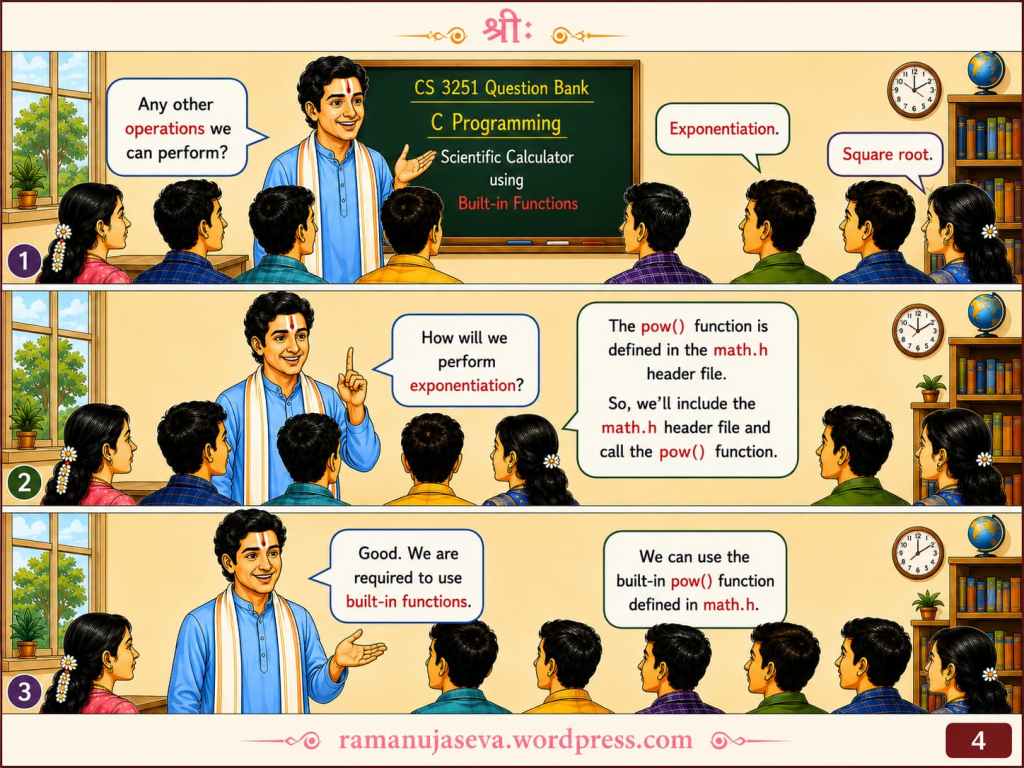
    Teacher: Any other operations we can perform?
    Students: Exponentiation. Square root.
    Teacher: How will we perform exponentiation?
    Students: The pow() function is defined in the math.h header file. So, we’ll include the math.h header file and call the pow() function.
    Teacher: Good. We are required to use built-in functions.
    Students: We can use the built-in pow() function defined in math.h.


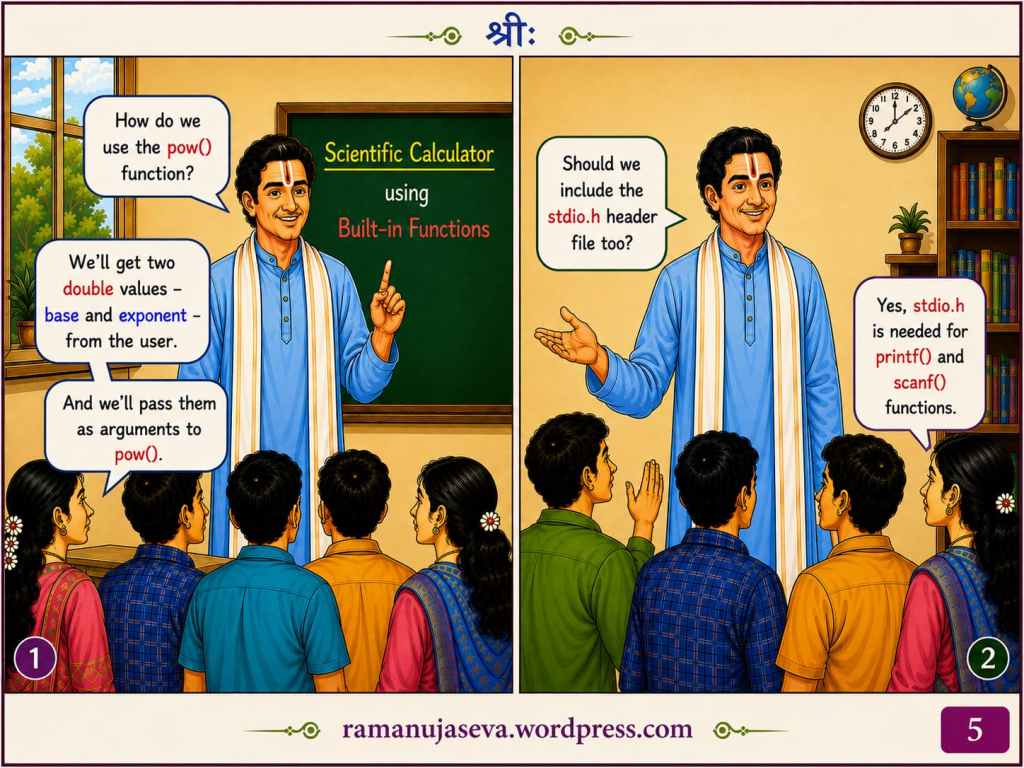
    Teacher: How do we use the pow() function?
    Students: We’ll get two double values — base and exponent — from the user. And we’ll pass them as arguments to pow().

    Teacher: Should we include the stdio.h header file too?
    Students: Yes, stdio.h is needed for printf() and scanf() functions.


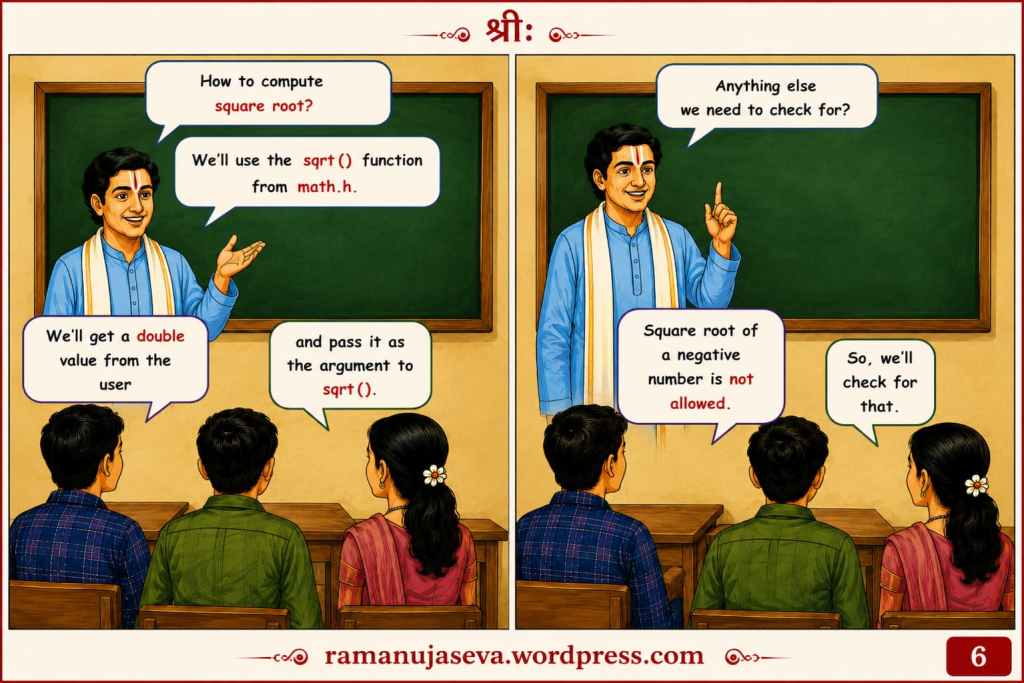
    Teacher: How to compute square root?
    Students: We’ll use the sqrt() function from math.h. We’ll get a double value from the user, and pass it as the argument to sqrt().

    Teacher: Anything else we need to check for?
    Students: Square root of a negative number is not allowed. So, we’ll check for that.


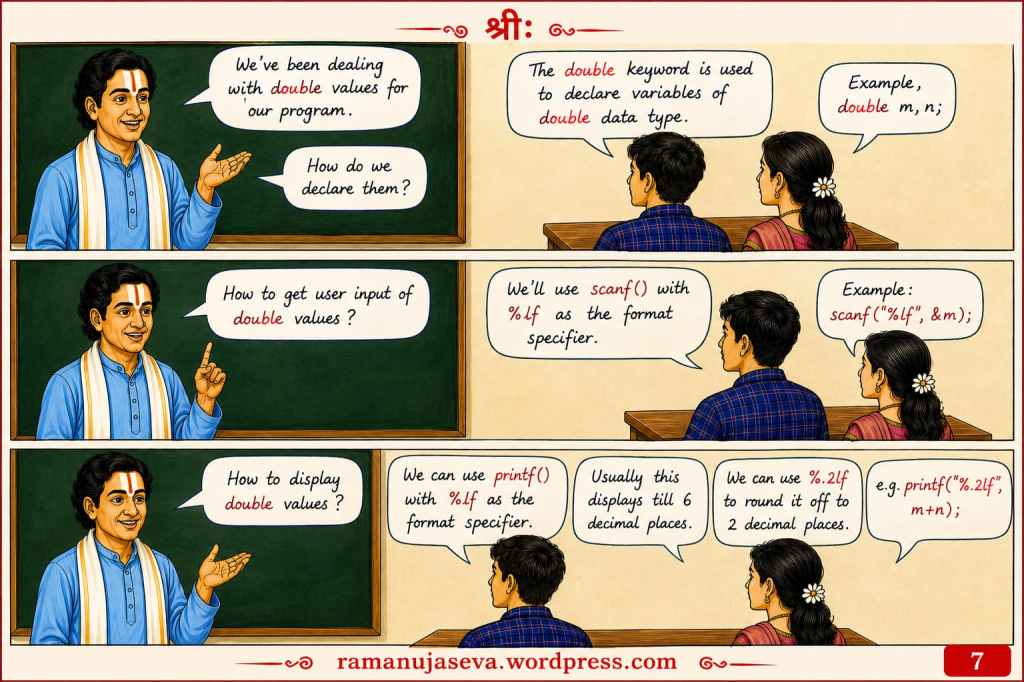
    Teacher: We’ve been dealing with double values for our program. How do we declare them?
    Students: The double keyword is used to declare variables of double data type. E.g. double m, n;

    Teacher: How to get user input of double values?
    Students: We’ll use scanf() with %lf as the format specifier. E.g. scanf(“%lf”, &m);

    Teacher: How to display double values?
    Students: We can use printf() with %lf as the format specifier. Usually this displays till 6 decimal places. We can use %.2lf to round it off to 2 decimal places.


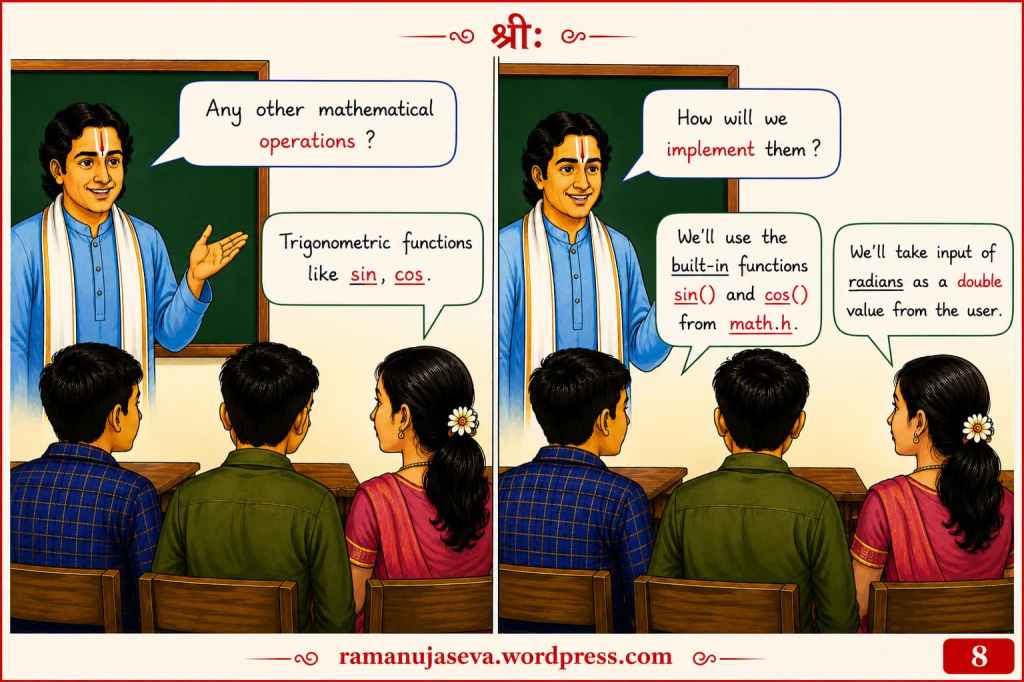
    Teacher: Any other mathematical operations?
    Students: Trigonometric functions like sin, cos.

    Teacher: How will we implement them?
    Students: We’ll use the built-in functions sin() and cos() from math.h. We’ll take input of radians as a double value from the user.


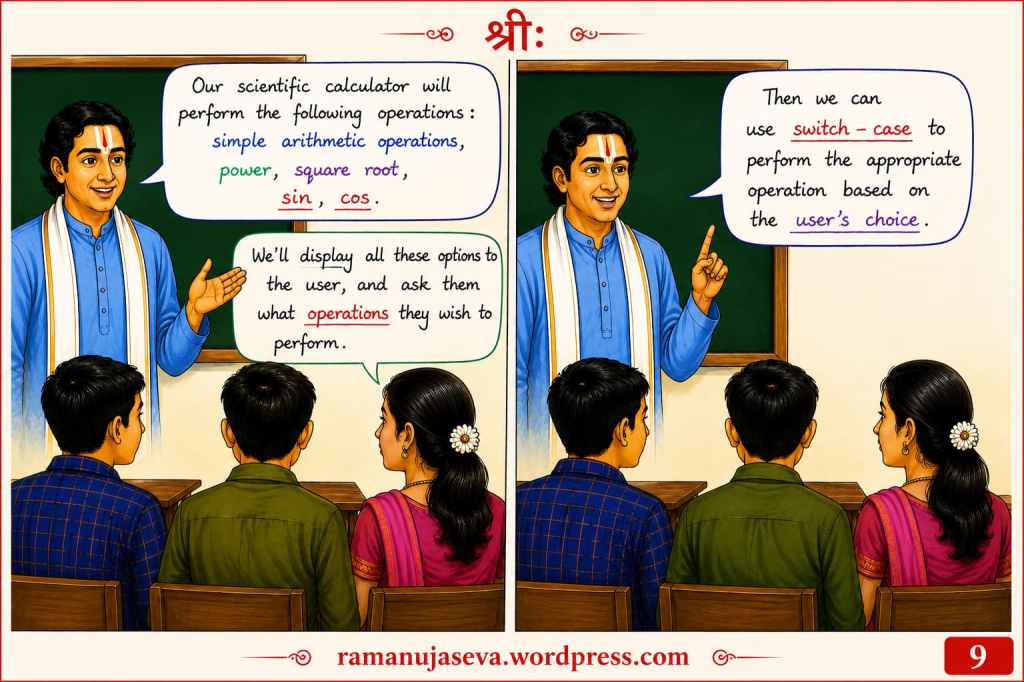
    Teacher: Our scientific calculator will perform the following operations:

    • simple arithmetic operations
    • power
    • square root
    • sin
    • cos

    Students: We’ll display all these options to the user, and ask them what operations they wish to perform. Then we can use switch-case to perform the appropriate operation based on the user’s choice.


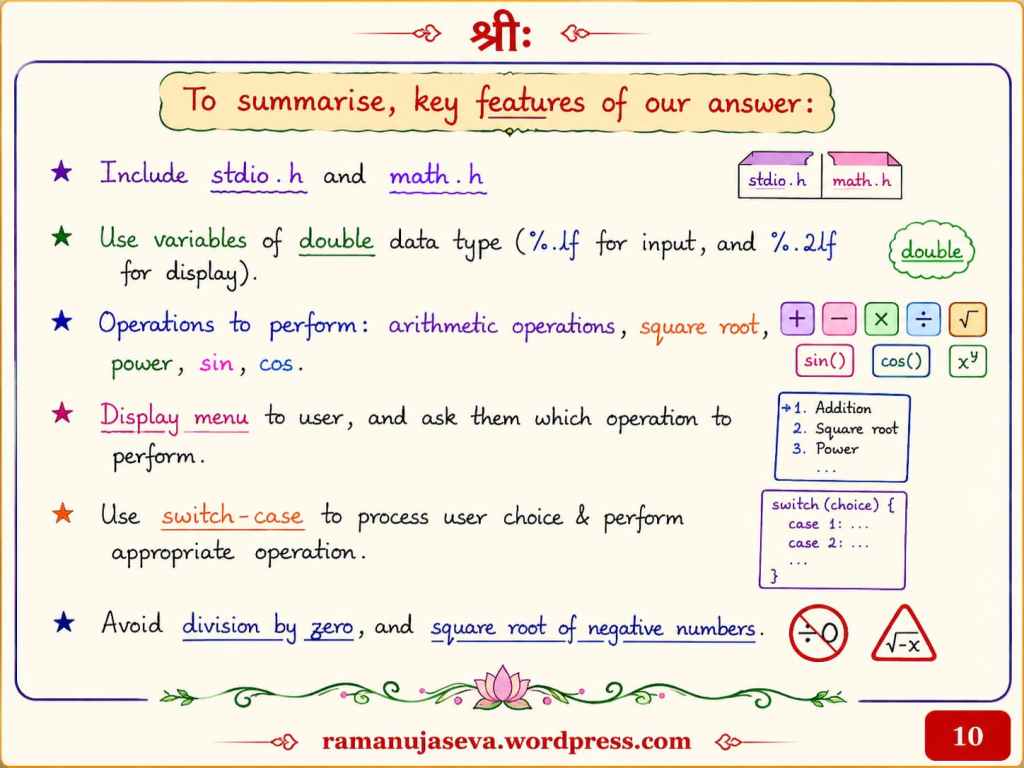
    To summarize, key features of our answer:

    ★ Include stdio.h and math.h

    ★ Use variables of double data type (%lf for input, and %.2lf for display).

    ★ Operations to perform:

    • arithmetic operations
    • square root
    • power
    • sin
    • cos

    ★ Display menu to user, and ask them which operation to perform.

    ★ Use switch-case to process user choice and perform appropriate operation.

    ★ Avoid division by zero, and square root of negative numbers.


    (For the next post in this series (Part 6c), pls see here: Program in C for scientific calculator.)

  • Questions and Answers, for CS 3251 – Programming in C. Part 6.
    (For Part 5 of this series, pls see here: 16 marks Q & A on Loops (Unit 1). )


    Pls see the above images. The same content is given in text form below.

    Anna Univ Exam Prep: CS 3251: Programming in C: Previous Years Questions and Answers – Part 5.
    In this post, Q&A related to Functions (Unit 3).

    Question (Nov / Dec 2022) (16 marks)

    (a) Classify function prototypes with suitable examples. (8 marks)

    (b) Write a program to design scientific calculator using built-in functions. (8 marks)


    Note: Part (a) of this question is answered in this post. Part (b) will be answered in a subsequent post.


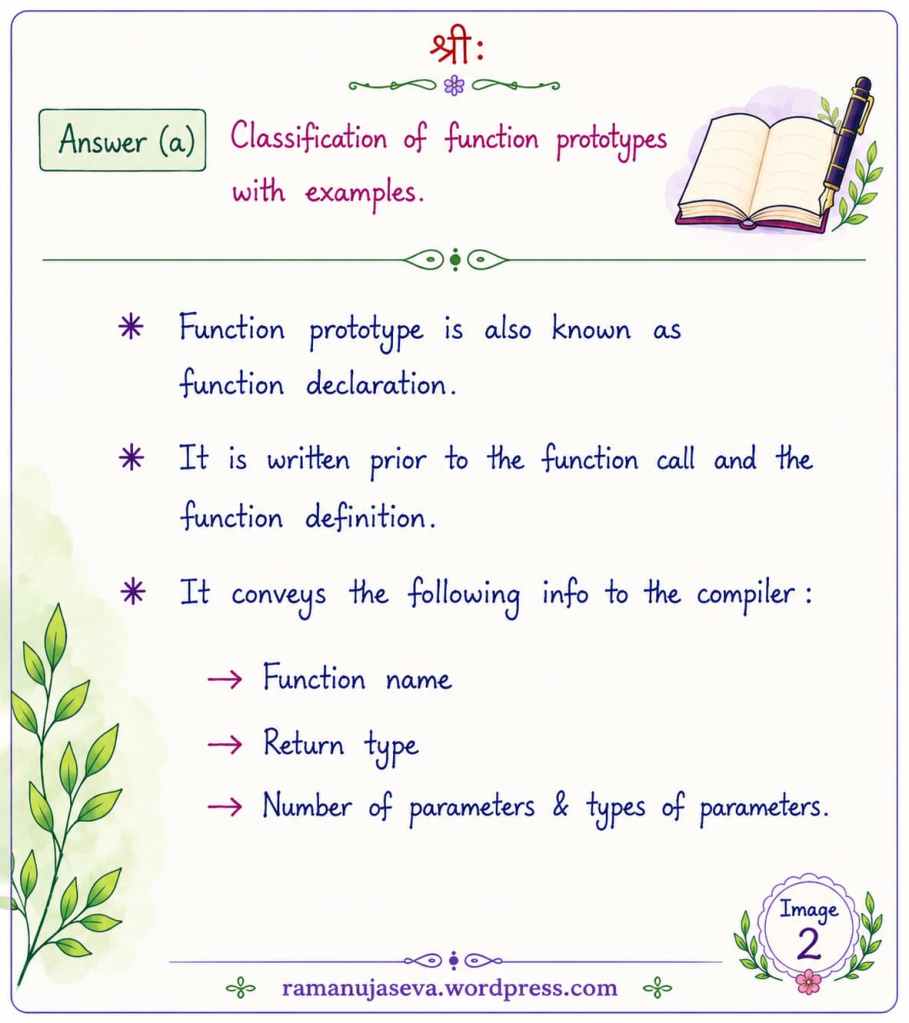
    Answer (a) Classification of function prototypes, with examples.
    • Function prototype is also known as function declaration.
    • It is written prior to the function call and the function definition.
    • It conveys the following information to the compiler:
      • Function name
      • Return type
      • Number of parameters and types of parameters

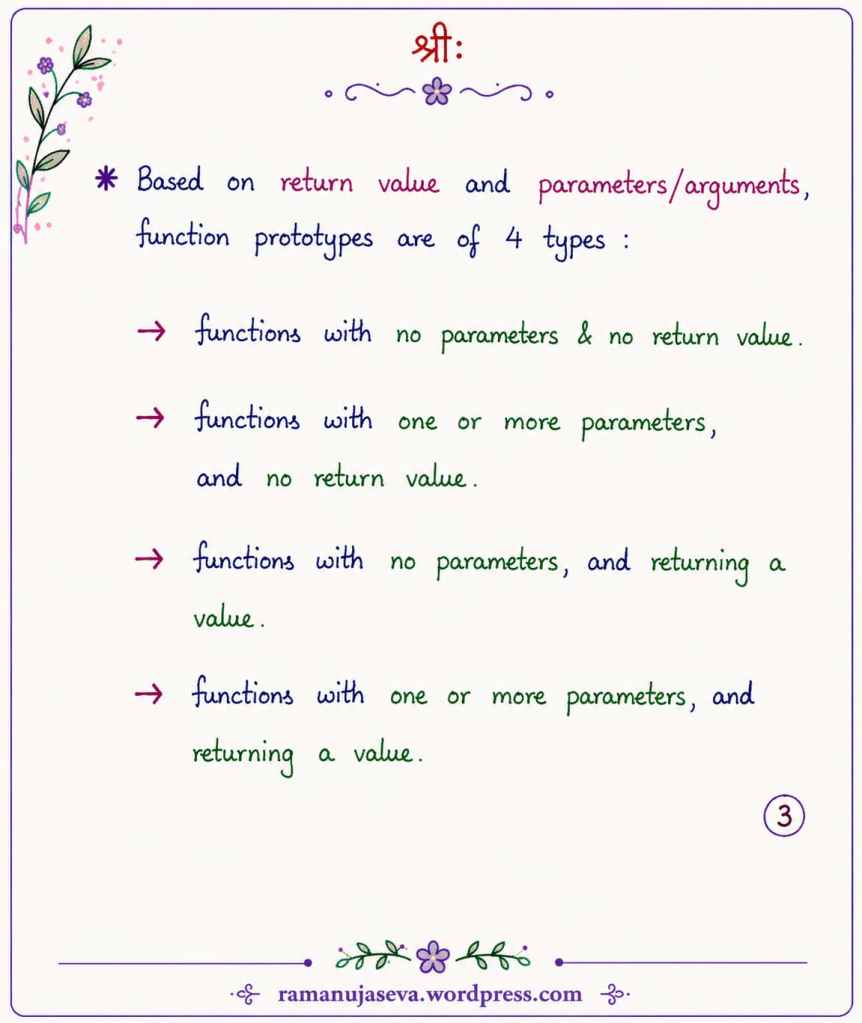
    Based on return value and parameters/arguments, function prototypes are of 4 types:

    • Functions with no parameters and no return value.
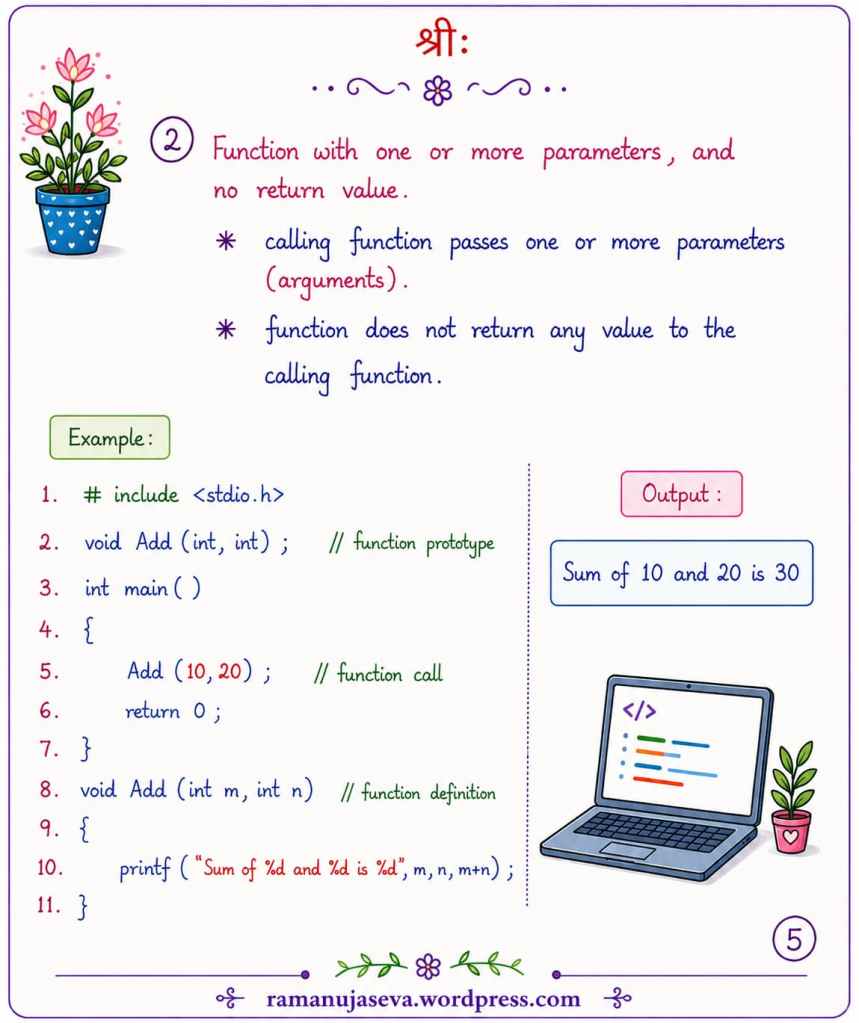
    • Functions with one or more parameters, and no return value.
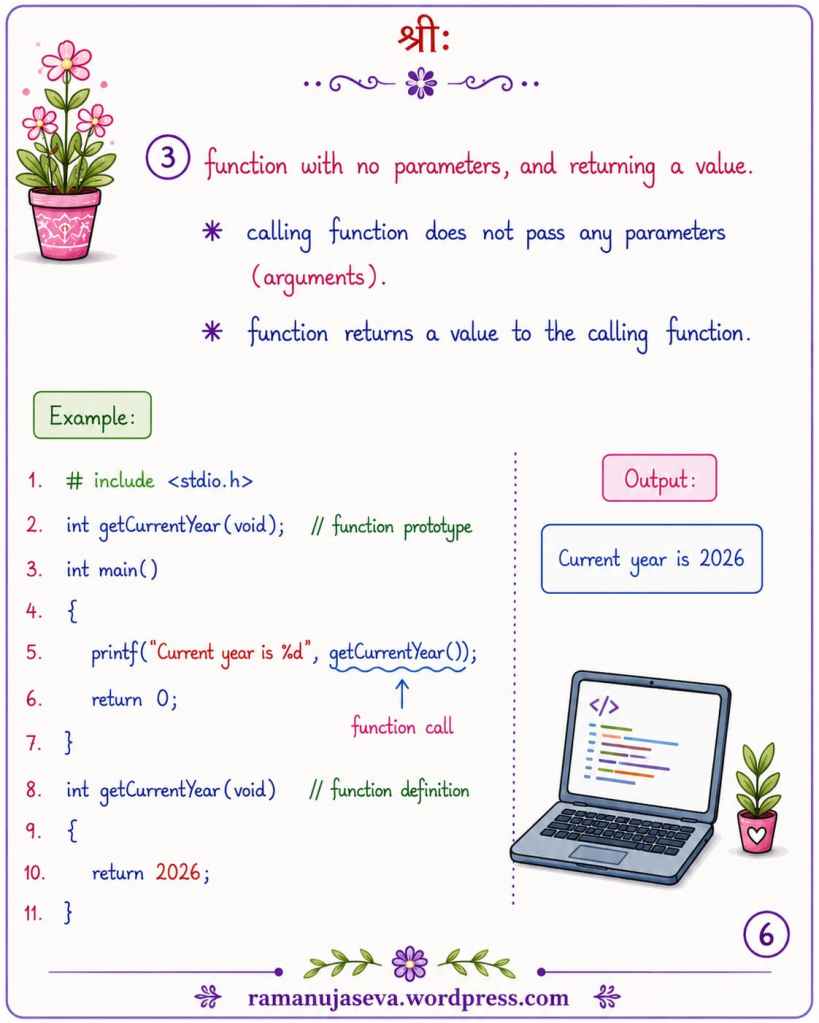
    • Functions with no parameters, and returning a value.
    • Functions with one or more parameters, and returning a value.

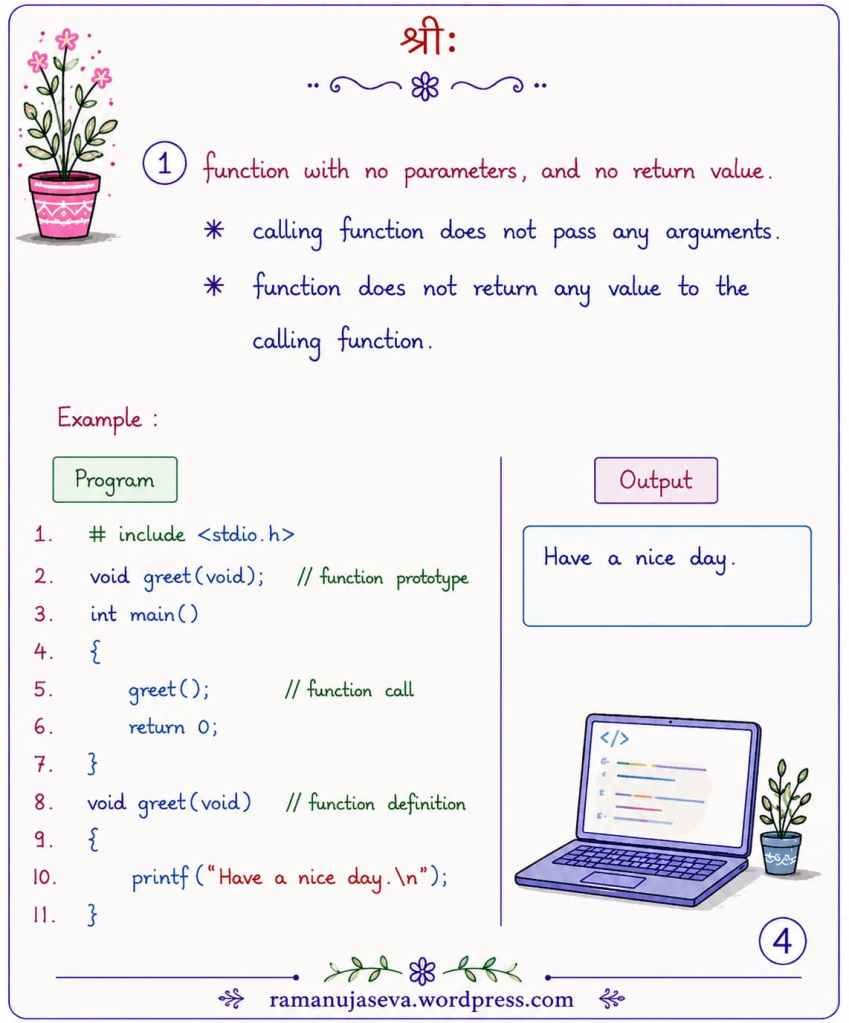
    1. Function with no parameters, and no return value
    • Calling function does not pass any arguments.
    • Function does not return any value to the calling function.
    #include <stdio.h>
    void greet(void); // function prototype
    int main()
    {
    greet(); // function call
    return 0;
    }
    void greet(void) // function definition
    {
    printf("Have a nice day.\n");
    }
    output:
    Have a nice day.

    2. Function with one or more parameters, and no return value
    • Calling function passes one or more parameters (arguments).
    • Function does not return any value to the calling function.
    #include <stdio.h>
    void Add(int, int); // function prototype
    int main()
    {
    Add(10, 20); // function call
    return 0;
    }
    void Add(int m, int n) // function definition
    {
    printf("Sum of %d and %d is %d", m, n, m + n);
    }
    output:
    Sum of 10 and 20 is 30

    3. Function with no parameters, and returning a value
    • Calling function does not pass any parameters (arguments).
    • Function returns a value to the calling function.
    #include <stdio.h>
    int getCurrentYear(void); // function prototype
    int main()
    {
    printf("Current year is %d", getCurrentYear()); // function call
    return 0;
    }
    int getCurrentYear(void) // function definition
    {
    return 2026;
    }
    output:
    Current year is 2026

    4. Function with one or more parameters, and returning a value
    • Calling function passes one or more parameters (arguments).
    • Function returns a value to the calling function.
    #include <stdio.h>
    int Add(int, int); // function prototype
    int main()
    {
    printf("Sum of %d and %d is %d", 10, 20, Add(10, 20)); // function call
    return 0;
    }
    int Add(int m, int n) // function definition
    {
    return m + n;
    }
    output:
    Sum of 10 and 20 is 30

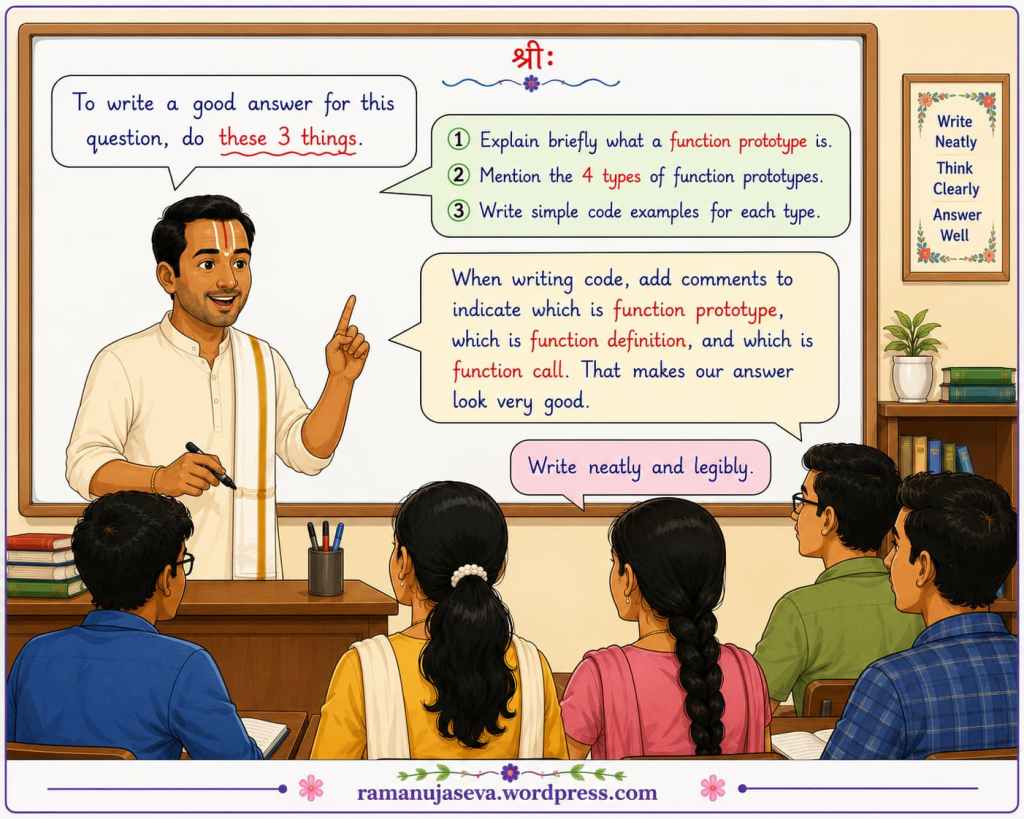
    To write a good answer for this question, do these things –

    • Explain briefly what a function prototype is.
    • Mention the 4 types of function prototypes.
    • Write simple code examples for each type.
      • When writing code, add comments to indicate which is function prototype, which is function call, and which is function definition.
    • write neatly and legibly.
Is this your new site? Log in to activate admin features and dismiss this message
Log In