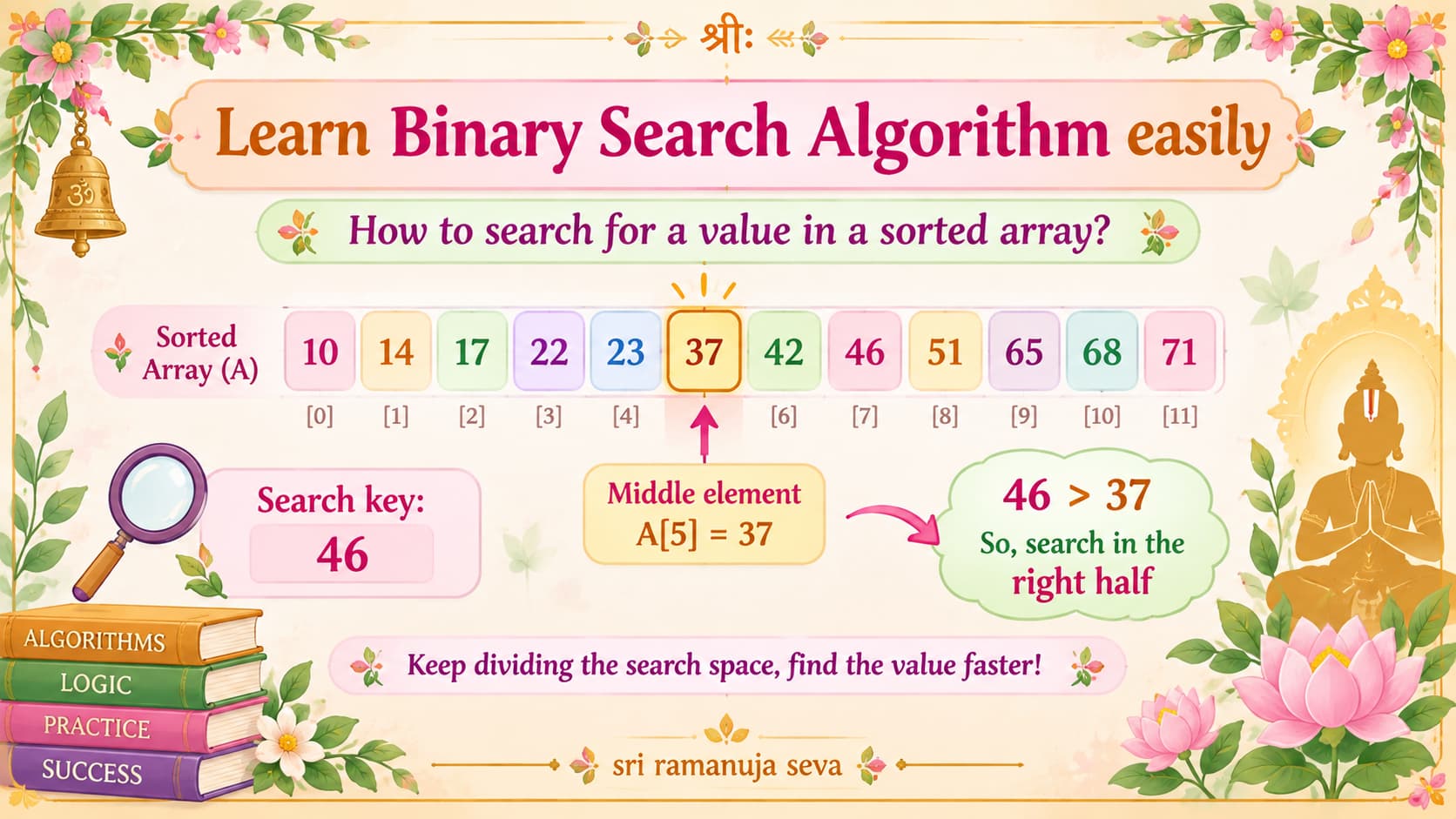
In this post, we shall learn about Binary Search Algorithm quickly.
- It is a search algorithm. That is, we search for a specific value in an array. We determine whether the value is present in the array or not, and if present, we also determine the position in the array at which it is present.
- Important: Binary Search Algorithm works only on sorted arrays. The input array must necessarily be sorted for Binary Search to work.
- There is a simpler search algorithm known as Linear Search, which works on all arrays, whether sorted or unsorted.
- So, why then do we need Binary Search? Because, Binary Search is much faster (efficient) compared to Linear Search. This makes a big difference when the input array is very large (has a large number of elements). [Linear Search has a time complexity of O(n), while Binary Search has O(log n), for input array having n elements. Hence, we can see that binary search is faster than linear search.)
Working of Binary Search Algorithm:
Binary Search Algorithm works by progressively narrowing down the search space in which the desired value (the value we’re searching for) could possibly be present.
Initially, the search space is the entire array. (The value we’re searching for (which we call as the search key) could be anywhere in the array.)
In each step, the search space is reduced by half.
How?
- We compare the element at the middle of the current search space with the search key.
- If both values are the same, we’re done. We’ve found what we were searching for. The algorithm has successfully completed.
- Else, if the search key is smaller than the middle element, then we can safely say that the search key is certainly not present in the portion of the array to the right of the middle element. (Since the array is sorted, and the search key is smaller than the middle element, it (the search key) must necessarily be present in the portion to the left of the middle element (in case it is present in the array at all). It certainly cannot be present in any position to the right of the middle element.) So, we can discard the right half of our original search space, and proceed searching in the reduced search space.
- Else, if the search key is greater than the middle element, we can safely discard the portion of the search space to the left of the middle element (and we can discard the middle element too), since the key is certainly not present in that portion. So, the new search space would be elements to the right of the middle element.
- Now, in the reduced search space, we again search just the way we did before. (That is, we compare the key with the middle element of this new search space. And appropriately reduce the search space further by half.)
- Thus, by progressively narrowing down the search space, we find our desired key. Or, we come to the conclusion that the key is not present in the array.
- So, here, from the above explanation we can understand why Binary Search works only on sorted arrays. Only because of the fact that the array is sorted are we confidently able to discard half of the search space in each pass (each step).
In subsequent posts, we shall look at examples to illustrate the working of the Binary Search Algorithm on sample inputs.
[Related posts: Learn Selection Sort, Learn Insertion Sort, Find 2nd Largest Distinct Value in Array]
Leave a Reply